
Manage failed test cases is no longer just about recording what went wrong. In modern QA workflows, teams need to understand which failures matter, which ones keep coming back, and what should be prioritized next.
However, many teams still face common challenges when dealing with failed test cases. In this article, we will explore some of the most frequent issues teams encounter in managing test failures. Then, we’ll look at broader QA trends and see how the AgileTest agent can help make failure tracking and follow-up more effective.
1. Failed Test Cases Aren’t the Problem, Managing Them Is
Failed test cases are a natural part of any QA process. They help uncover risks early and improve product quality. Therefore, a higher number of failures should not be seen as a negative outcome.
However, many teams still view them this way, often because of how test failures have traditionally been tracked and managed.
The issue is not the failures themselves, but what happens after they appear. Here are two main challenges for teams when dealing with failed test cases.
Missed Failures Across Multiple Test Executions
In modern QA workflows, test cases are often run many times, not just once. They may be executed across different builds, environments, regression cycles, or CI/CD pipelines. While this helps teams test more thoroughly, it also makes failures harder to follow.
When failed test cases are spread across multiple executions, it becomes difficult to keep track of what went wrong. Some failures may be missed, especially when teams review results manually or in separate places.
Recurring Failures Get Ignored Over Time
The issue is not from new failed test cases, but also some repeated ones. Some appear repeatedly across multiple test runs, yet still remain unresolved. This is where another common problem begins: recurring failures gradually lose visibility.
In some cases, these issues are treated as the lowest priority and postponed so teams can focus on more urgent defects. But if those same failures appear in multiple executions, they may point to a wider issue that deserves more attention.
2. A Better Approach In The New QA Era
In the new QA era, teams need more than a simple list of passed and failed results. Teams want to stay updated on execution status, understand failure patterns quickly, and decide what deserves attention first.
A Quick Look Into QA Industry Trends
Many QA teams still lack visibility into the metrics that matter most for failure management. In the Software Testing & Quality Report:
- 22% of respondents said the metrics they most want but cannot track are defect metrics. They want to deep dive into failure recurrence and resolution time.
- 19% want better detailed test case reporting, which shows that teams need more context than basic pass/fail results can provide.
At the same time, an AI analysis of QA behaviour shows that 54% them use ChatGPT and 23% use GitHub Copilot. However, AI-powered defect tracking and management are still underused. That creates a clear opportunity to apply AI for understanding failed test cases faster and managing them more effectively.
The Role of AI in Modern QA
This creates a clear opportunity. Instead of manually reviewing scattered results, teams can use AI to highlight recurring failures and bring better context into debugging.
This is where an AI-powered approach, such as AgileTest Summary and Analyzer, can help. It allows teams to turn test results into clear insights to manage failed test cases faster and more effectively.
3. How To Apply AgileTest Summary & Analyzer to Manage Your Failed Test Cases
Let’s explore how to use the AgileTest Summary & Analyzer to manage your failed test cases.
Step 1: Execute Test Cases As Normal
First, your team can execute their test cases as usual within AgileTest. The goal is to ensure that your test executions are completed and recorded.
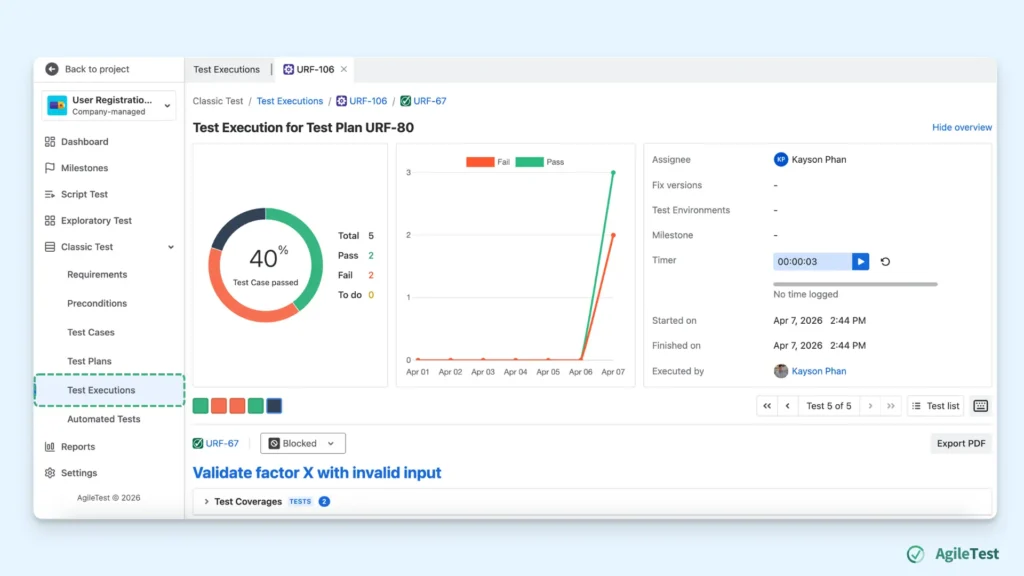
These results will later serve as the foundation for AI-powered analysis, helping you gain better visibility into failures without additional manual effort.
Step 2: Get Instant Execution Overview
Now you can interact with the AgileTest Summary & Analyzer agent to get a quick snapshot of your testing overview.
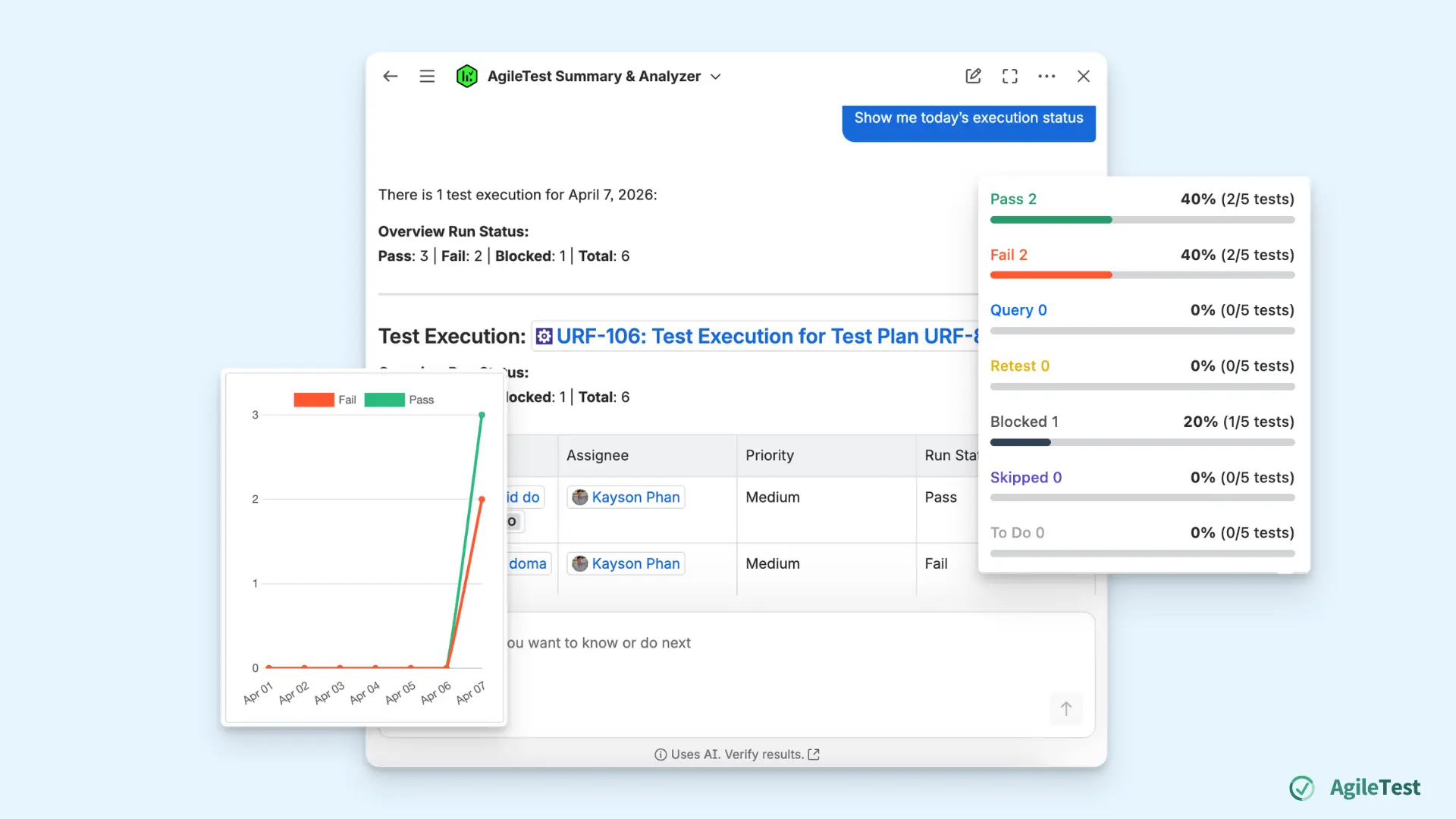
Instead of manually checking each test execution, you can ask the agent with a simple command, such as:
- “Show me today’s execution status.”
- “What are the recent failures?”
- …
Instead of spending time navigating through multiple reports, you can get a clear view in seconds. You can catch up quickly with your team’s testing activities, such as:
- Test execution results conducted by different team members
- Failures occurring within a specific timeframe
- …
This step helps you build immediate awareness of what’s happening across test executions and decide where to focus next before diving deeper into failure analysis.
Step 3: Analyze Failure Patterns
After getting the overall execution snapshot, the next step is to look deeper into the failures themselves. This is where you move from simply knowing what failed to understanding which failures keep happening and why they matter.
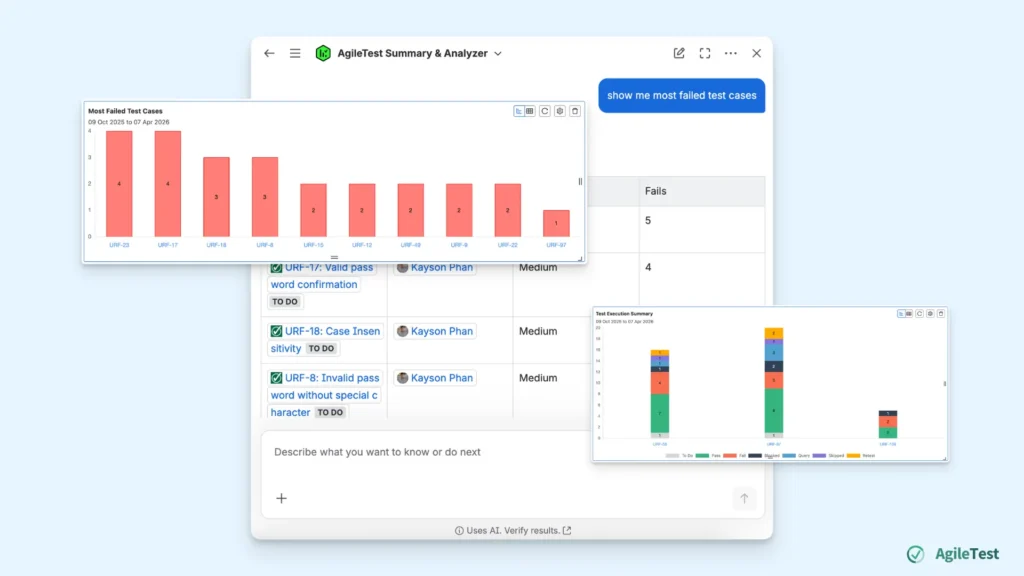
You can ask the agents the following questions:
- “Show me the most failed test cases.”
- “Are there any recurring failed test cases in the last 7 days?”
- …
These prompts help reveal patterns that are not always visible in individual test executions. A failed test case may seem minor when viewed on its own. However, it can become a much bigger problem when it continues to fail across multiple runs.
Step 4: Track Assignee And Working Progress
After identifying the failed test cases that matter most, you can ask the AgileTest Summary & Analyzer agent to show who is handling them and how the work is progressing.
You can continue the conversations with some requests, for instance:
- “What is the current progress of these failures?”
- “Summarỉz the working progress on these items.”
- …
Once you receive the progress summary, you can also ask the agent what should be prioritized next. Some command prompts could be:
- “List out what should be focused on next.”
- “Show failed test cases based on priority levels.”
- …
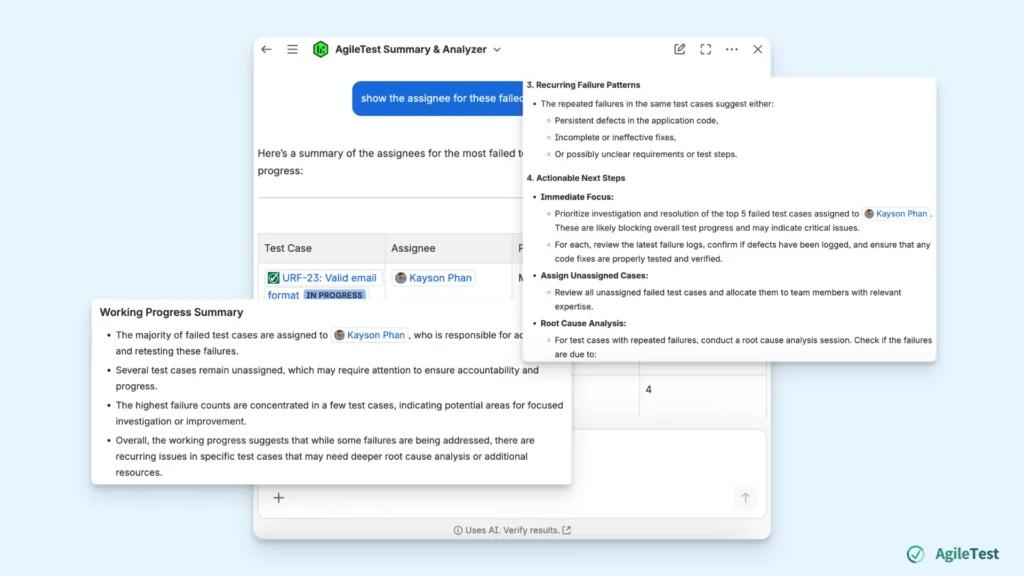
Based on factors such as Jira priority, failure frequency, and severity, the agent can suggest which items deserve immediate attention. This helps you move from simply tracking failures to deciding the next best actions with more confidence.
Final thoughts
Failed test cases should not be seen as a setback. They are valuable signals that help teams improve product quality. The real challenge is making sure those signals are not lost, ignored, or left unresolved over time.
With AgileTest Summary & Analyzer, managing failed test cases becomes more than a tracking task. It becomes a smarter, faster, and more actionable part of the QA process. By combining test execution data with AI-powered analysis, teams can move beyond basic reporting and start managing failures more effectively
Install AgileTest and try out AgileTest Summary & Analyzer now.