

For years, the testing world has sometimes felt like a battlefield. In one corner, you have the seasoned veterans of Manual Testing, armed with intuition, experience, and an uncanny ability to break things in ways no one expected.
In the other corner, the sleek, efficient legions of Automated Testing, executing scripts at lightning speed, promising consistency and tireless regression coverage.
Who reigns supreme? Spoiler alert: It’s not a simple knockout. Like choosing between ramen and sushi, the best answer is often… “it depends,” or even better, “why not both?!” Let’s break down our contenders.
Meet Contender #1: Manual Testing – The OG, The Artisan, The Human Touch
This is where it all began. A real, live human sits down, interacts with the software like an end-user (or a particularly mischievous gremlin), clicks buttons, fills forms, explores workflows, and uses their squishy, magnificent brain to see if things:
- Work as expected.
- Feel right (Usability! Aesthetics!).
- Break in weird and wonderful ways under unexpected conditions (Exploratory Testing!).

Manual’s Superpowers:
- Exploratory Genius: Uncovers bugs that rigid scripts would never dream of finding. It’s like letting a curious cat loose in the code – it will find the dangling thread.
- Usability Guru: Can judge subjective qualities – Is this workflow intuitive? Does this button look weird? Is the user experience smooth or clunky? Robots are notoriously bad interior designers.
- Adaptability Ace: Can react to unexpected results on the fly, change course, and investigate interesting anomalies immediately.
- Low Initial Hurdle (Sometimes): For simple, one-off checks or brand-new, rapidly changing features, writing a quick manual test charter can be faster than setting up complex automation.
- The “Common Sense” Check: Catches glaringly obvious issues that automation, focused on specific assertions, might miss (e.g., the entire page rendering upside down, but the specific element the script checks is technically “present”).
Manual’s Kryptonite:
- The Speed of… Molasses: It’s slow. Painfully slow for large test suites.
- Regression Nightmare Fuel: Executing the same 500 regression tests manually every release cycle is soul-crushing, expensive, and about as fun as watching paint dry.
- Oops, I Did It Again (Inconsistently): Humans get tired, bored, distracted. Consistency suffers. Did Bob check that edge case exactly the same way Alice did last week? Maybe.
- Scalability? LOL: Throwing more people at large-scale regression testing isn’t efficient or cost-effective.
- Can’t Do Everything: Simulating 10,000 concurrent users for a load test? Yeah, good luck organizing that pizza party.
→ Discover top 5 test management tools for Jira
Meet Contender #2: Automated Testing – The Speedy Robot, The Regression Slayer, The Night Shift Worker
Here come the bots! We write scripts using frameworks (Selenium, Cypress, Playwright, Pytest, JUnit, NUnit, you name it) that execute predefined steps and automatically verify the outcomes against expected results.

Automation’s Superpowers:
- Speed Demon: Executes tests way faster than any human. Hundreds or thousands of tests can run overnight or in your CI/CD pipeline.
- Consistency King: Runs the same test, the same way, every single time. No “oops, forgot that step” moments (unless you coded it wrong!).
- Regression’s Best Friend: Perfect for ensuring existing functionality doesn’t break when new code is introduced. Its ROI here is massive.
- Tireless Workhorse: Runs 24/7 without demanding coffee, overtime pay, or complaining about repetitive tasks. Ideal for CI/CD feedback loops.
- Superhuman Abilities: Can perform tasks humans can’t easily do, like precise performance/load testing or validating complex data across thousands of records.
- Data-Driven Dynamo: Easily run the same test logic with vast amounts of different data inputs.
Automation’s Kryptonite:
- The “It Costs HOW Much?!” Setup: Requires significant upfront investment in tools, infrastructure, and skilled engineers to write and maintain robust automation code. Test code is code.
- Maintenance Monster: Poorly written automation (especially brittle UI tests) can break with minor application changes, leading to endless, frustrating maintenance cycles. Treat your test code with respect!
- Blind Spots: Typically only checks what you explicitly tell it to check. It won’t stumble upon unexpected usability issues or visual glitches unless specifically designed to look for them (which is hard).
- False Sense of Security: 100% pass rate on automation doesn’t mean the app is perfect. The tests might be shallow, or major issues might lie outside the automated checks.
- Can’t Do Subjective: Assessing “look and feel” or intuitive design? The robot shrugs its metaphorical shoulders.
Finding Harmony: The When and How of Balance
Okay, enough preamble. The real magic happens when you stop pitting them against each other and start thinking like a savvy coach, deploying the right player for the right task.
Unleash the Robots (Automate) When:
- Regression Testing: This is automation’s bread and butter. Protect existing functionality. Automate heavily here.
- Repetitive, Tedious Tasks: Data setup, form submissions with multiple variations, checking calculations. If it makes a human cry tears of boredom, automate it.
- Stable Functionality: Features that aren’t undergoing constant, radical UI changes are better automation candidates.
- Performance & Load Testing: Essential for simulating user load and measuring response times accurately.
- API / Service-Level Tests: These are usually more stable and faster than UI tests – a great target for automation.
- Data Validation: Checking data integrity, migrations, complex calculations across large datasets.
- Cross-Browser/Device Checks: Running the same core tests across different environments is much more efficient with automation (though visual checks might still need a human eye).
- Smoke Tests / Build Verification: Quick checks to ensure the core functionality isn’t totally broken after a build.Perfect for CI pipelines.
Call in the Humans (Manual) When:
- Exploratory Testing: Investigating new features, hunting for edge cases, trying to break things creatively. Critical for finding unknown unknowns.
- Usability & Accessibility Testing: Assessing the user experience, workflow intuitiveness, visual appeal, and adherence to accessibility standards.
- Testing Brand New, Unstable Features: When the UI is changing daily, writing automation might be premature and wasteful. Manual exploration gives faster feedback.
- Ad-Hoc & Edge Case Scenarios: Quickly checking weird one-off scenarios or replicating a bug reported by a user.
- Visual Verification: Checking layout, styling, image rendering, especially across different resolutions or devices where visual nuance matters.
- Complex Scenarios Requiring Judgment: Tests where the “pass/fail” criteria are subjective or require contextual understanding.
- When Automation ROI is Low: If a complex test scenario is run very rarely and takes ages to automate reliably, a manual check might (occasionally) be more pragmatic.
The Synergy Symphony: Making Them Play Nice
The goal isn’t just to use both, but to make them complement each other:
- Explore First: Use manual exploratory testing on new features to understand the system, uncover initial bugs, and identify stable areas suitable for automation later.
- Automate Regressions: Once a feature is stable and bugs found during exploration are fixed, build automated regression tests to prevent those bugs from creeping back in.
- Free Up Humans: By automating the boring, repetitive stuff, you free up valuable human tester time for higher-value activities like exploratory testing, usability assessments, and complex scenario analysis.
- Follow the Pyramid: Remember the Test Automation Pyramid? Focus automation efforts heavily on unit and integration/API tests (faster, more stable, cheaper to maintain), with fewer, more targeted UI automation tests, all supported by a foundation of manual/exploratory testing.
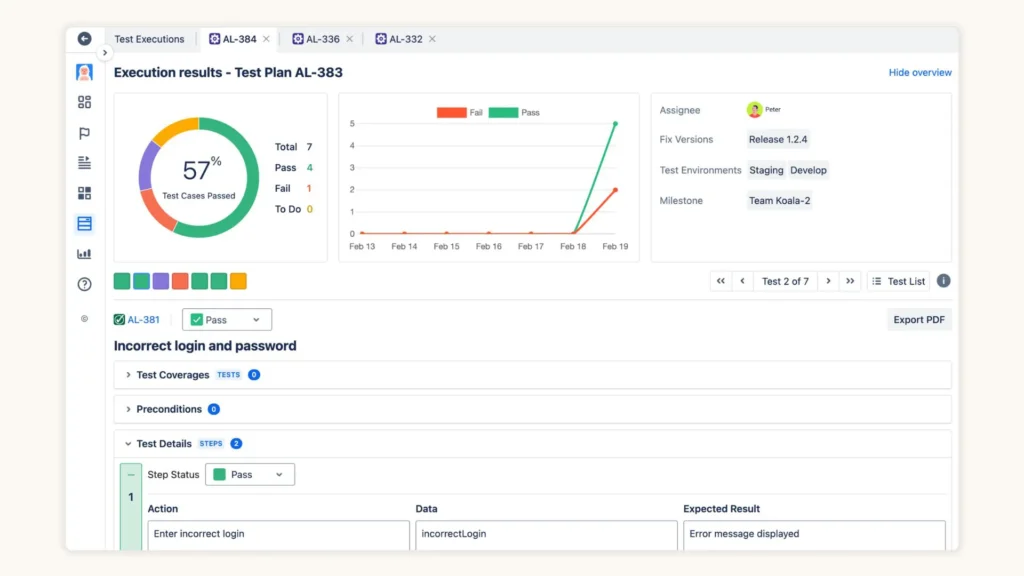
→ AgileTest includes both manual and automated testing into just 1 solution, supporting all tester needs within Jira
Epic Fails: How NOT to Balance Your Testing (A Comedy of Errors)
- The “Automate Everything!” Zealot: Spends months building brittle UI tests for rapidly changing features, resulting in constant failures and zero trust in the automation.
- The “Manual Forever!” Traditionalist: Drowns the team in massive, slow, expensive manual regression cycles while competitors with smart automation release much faster.
- The “Set It and Forget It” Automator: Creates an automation suite, sees it pass, never updates it, and wonders why bugs are still slipping through to production (hint: the tests became irrelevant).
- The “No Time for Exploratory” Rusher: Relies solely on automation, gets a 100% pass rate, and ships a product with glaring usability flaws or unexpected bugs in areas not covered by scripts.
Conclusion: The Winner is… BALANCE! (Shocking, I Know)
So, who wins the Automated vs. Manual Testing battle? Neither. Or rather, both. The smart strategy, the one that leads to higher quality software delivered efficiently, is intelligent balance.
Understand the strengths and weaknesses of each approach. Apply automation strategically where it delivers the most value (speed, consistency, regression coverage). Leverage human testers for their unique cognitive abilities (exploration, usability, adaptability).
Make them work together like a well-oiled machine (with a human brain checking the oil levels). That way, you get the best of both worlds, ship better software.