
QA teams work with a lot of testing information, from test cases and requirements to execution results and linked defects. Finding the right information often means navigating between different views and checking multiple records.
This November, 2026, AgileTest 5.21.0 introduces the AgileTest MCP Server, bringing this testing information directly into AI conversations through Atlassian Rovo and external AI assistants. You can build custom Rovo agents or connect tools such as Claude Code, Cursor, and Codex to retrieve testing data, check coverage, and investigate execution results using natural language.
Let’s explore what’s new in this release!
1. Connect AgileTest with Rovo Agents
You can now bring AgileTest tools into Atlassian Rovo Studio to build custom AI agents around your team’s testing workflows.
Instead of manually searching through test records, you can ask your agent questions in natural language and get answers based on your AgileTest data.
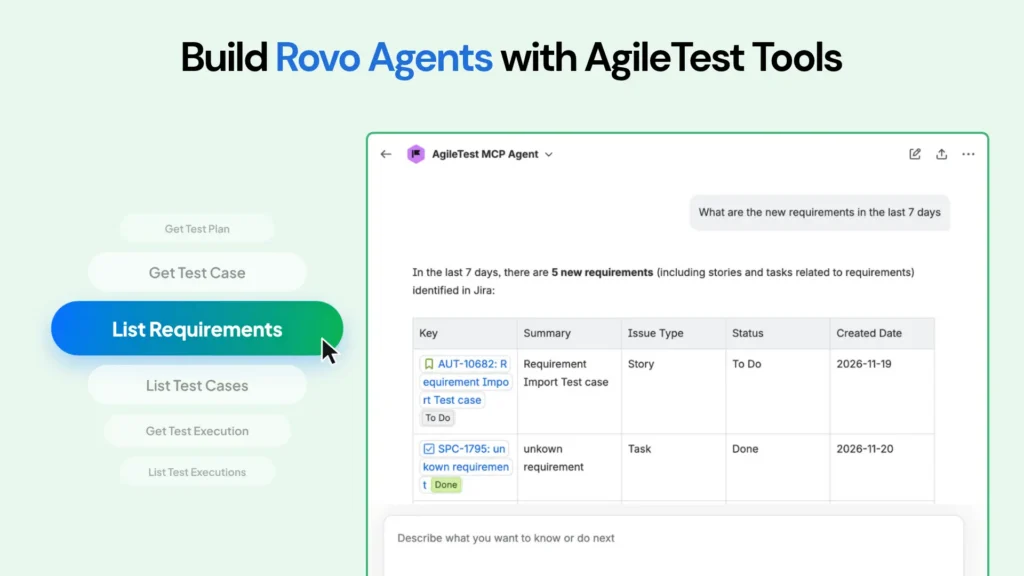
For example, you can ask:
- Which requirements in project X have no test coverage?
- How many test executions have failed in the current milestone?
- Which defects are linked to failed test cases?
- What’s the overall progress of a particular test plan?
What information can Rovo agents retrieve?
AgileTest provides tools that allow Rovo agents to access four main types of testing information:
- Test Cases: Search test cases by key, text, label, status, or folder. You can also retrieve test steps, preconditions, and recent execution results.
- Requirements: Check requirement coverage status and view linked test results to identify requirements that need more testing.
- Test Executions: Track execution progress by status, Fix Version, Test Plan, or milestone. You can also investigate failed tests and their linked defects.
- Test Plans: Review overall test plan progress and inspect the Test Executions associated with each plan.
All available tools are currently read-only, meaning your agents can retrieve and analyze testing information but cannot create, edit, or delete AgileTest records.
Build your own Rovo agent
To get started, navigate to Rovo Studio and create a custom agent. Add the AgileTest tools you want your agent to use, configure its instructions, and publish it for your team.
Once published, team members can find the agent in Rovo Chat and start asking questions about their testing data.
Note: You need a Jira Standard plan or above to use Rovo Chat and access Rovo Studio.
2. Connect AgileTest with External AI Assistants
Beyond Rovo, AgileTest 5.21.0 will also introduces support for external AI assistants through the Model Context Protocol (MCP).
MCP allows AI assistants to connect to external tools and retrieve information from them. Then, you can connect compatible assistants such as Claude Code, Cursor, and Codex to access the same AgileTest tools available to Rovo agents.
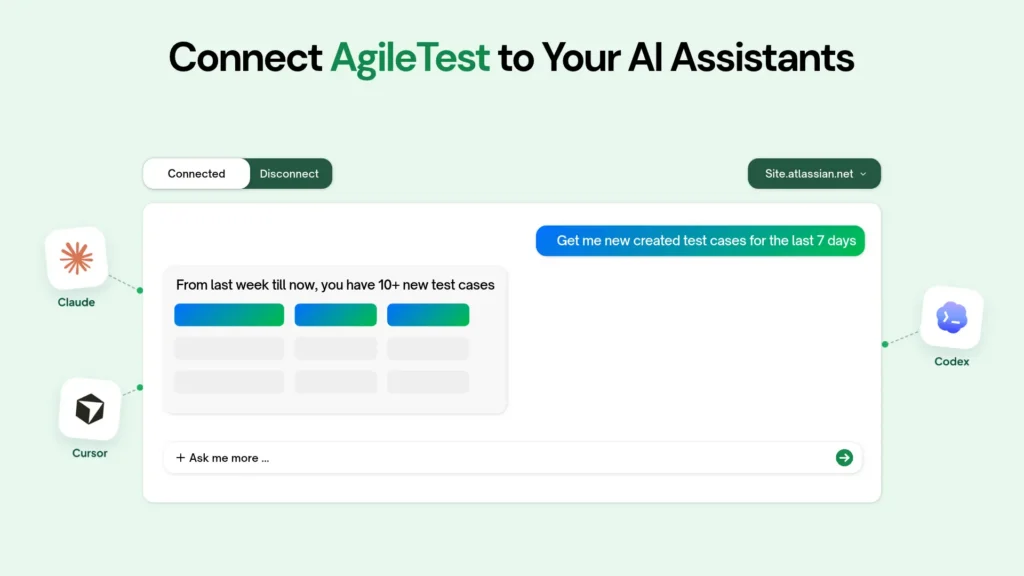
This means you can work with your testing data directly from your preferred AI development environment.
More updates are coming soon.
Conclusion
AgileTest 5.21.0 brings testing information closer to where your team works with AI.
With this release, you can:
- Build custom Rovo agents to retrieve and analyze AgileTest data.
- Check test case details, requirement coverage, execution progress, and linked defects through natural language questions.
- Connect external AI assistants such as Claude Code, Cursor, and Codex through MCP.
- Access testing information directly from your preferred AI environment.
By making testing data accessible through AI assistants, AgileTest helps QA teams find relevant information faster, understand testing progress, and investigate potential quality gaps with less manual searching.
Ready to explore AI-powered testing workflows? Try AgileTest and start connecting your testing data with your preferred AI assistant.