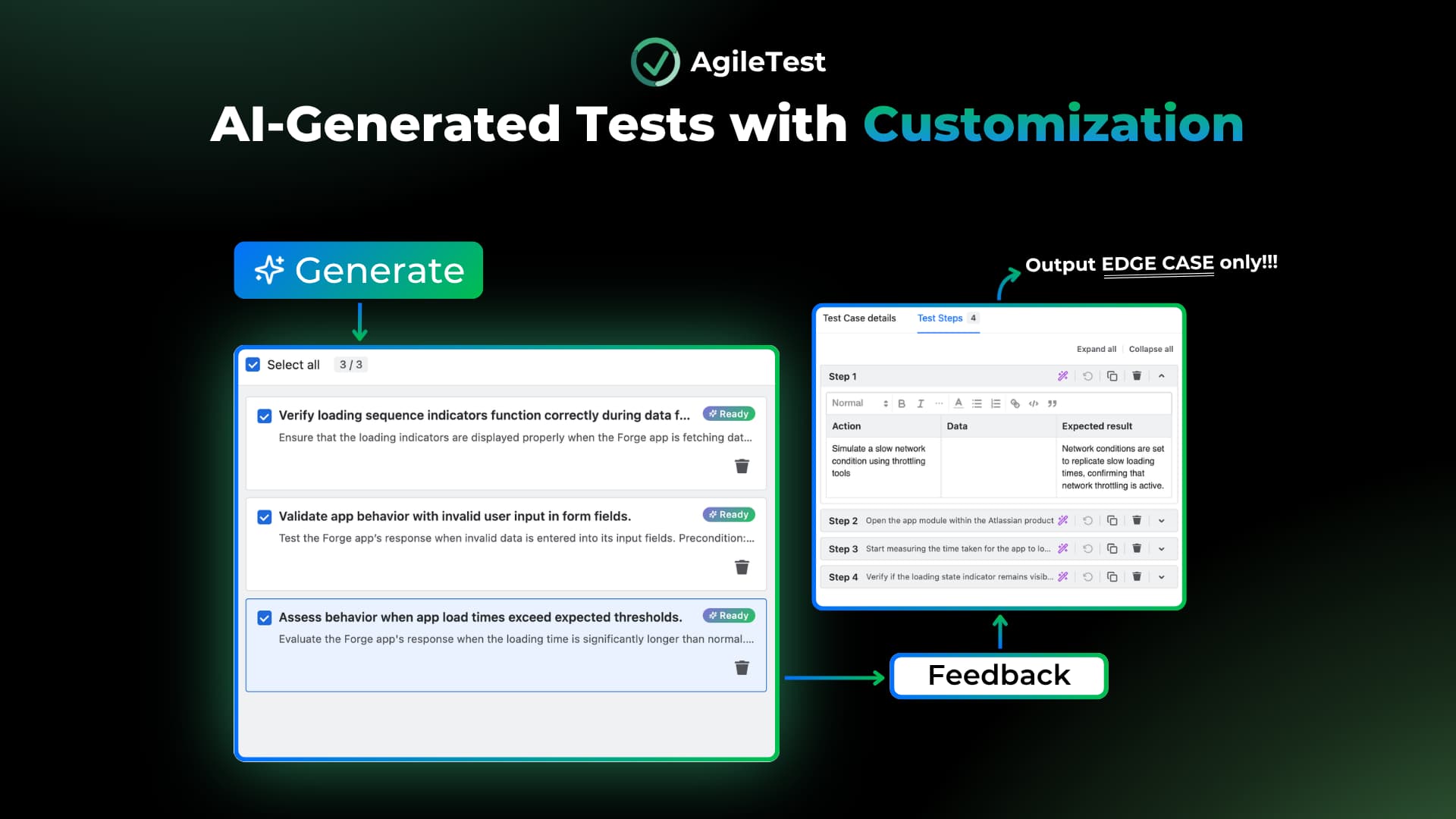

Every QA team works differently. Testing formats, coverage needs, languages, and workflows all vary, but most AI test case generators produce results in one fixed shape. That leaves you rewriting or reformatting almost every case by hand.
AgileTest’s latest version focuses on closing that gap. The updated AI test case generator gives you more control over the format, detail, and language of what it produces, so the output is closer to usable on the first pass. This release also comes with Xray migration.
Let’s explore what’s new! Learn more here: [Release Note].
A more flexible AI test case generator
AI-generated test cases used to come in a single format with a fixed number of results per request. The updated generator lets you shape the output to match how your team actually tests.
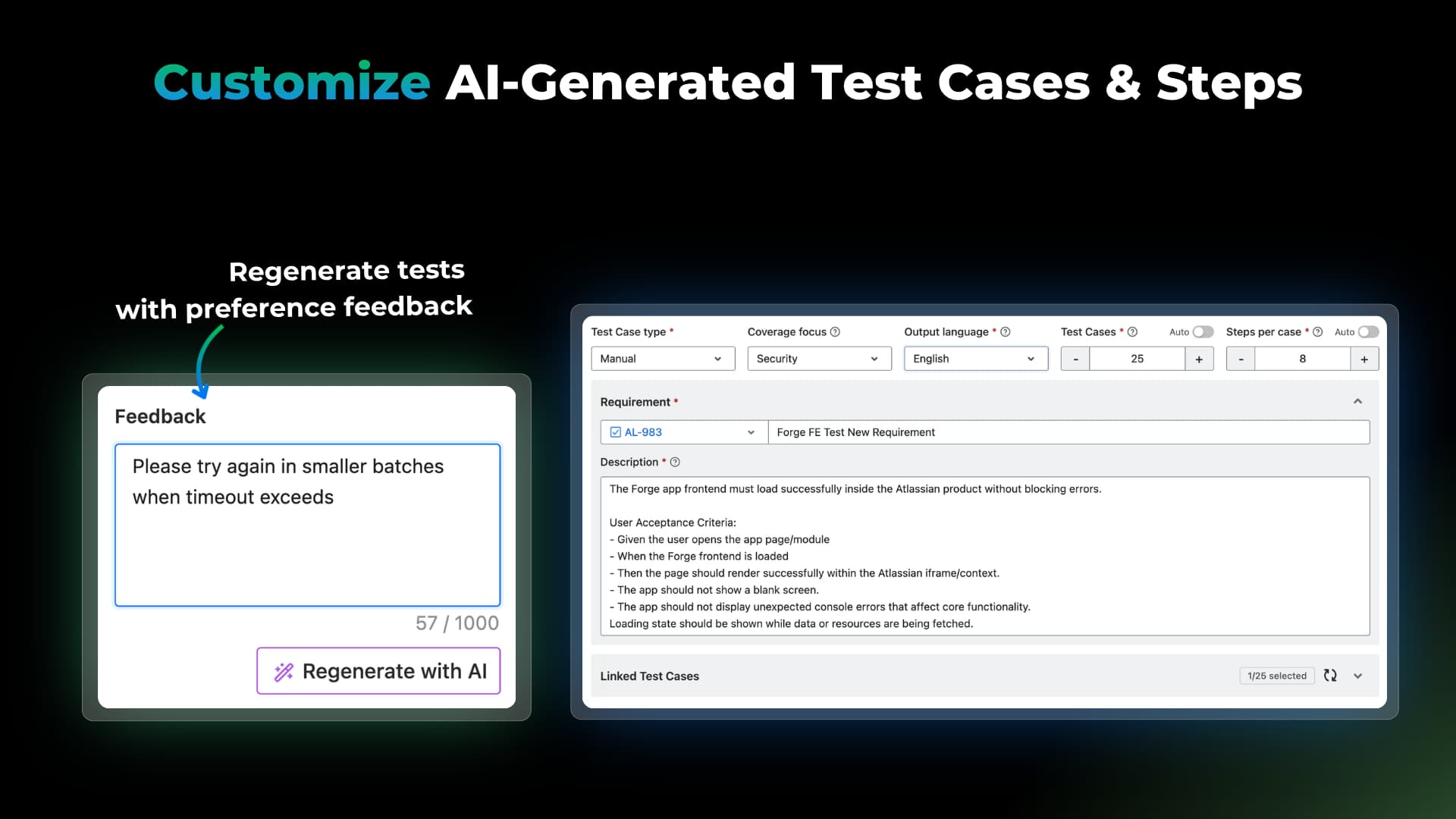
You can now set:
- Test case type. Choose Manual, Generic, or Gherkin.
- Number of test cases. Decide how many cases to generate per request.
- Number of test steps. Control how detailed each case is.
- Output language. Generate cases in the language your team works in.
- Feedback. Tell the AI what to adjust and regenerate without starting over.
- Linked test cases. Link existing cases as examples so the AI follows your expected format and style.
The point is less cleanup after generation. When the type, length, and language match your standards from the start, you spend less time rewriting and more time reviewing.
Migrate your Xray data into AgileTest
For dedicated support, contact us for more guidance.
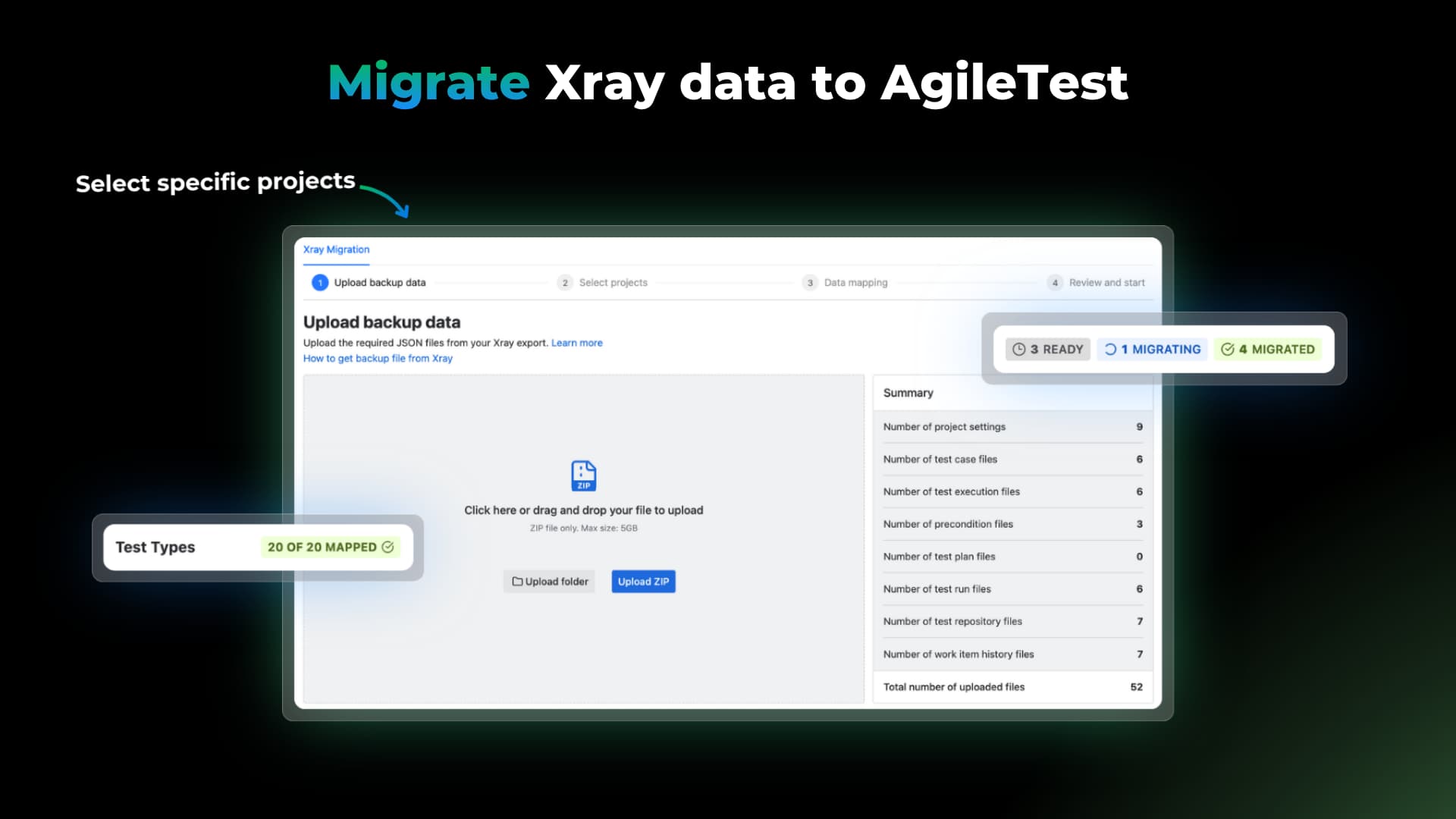
Moving test management tools usually means one of two things: re-entering everything by hand, or leaving your history behind. AgileTest 6.0.0 adds a guided flow to bring your Xray for Jira data across in three steps. You download your data from Xray, import it into AgileTest, and map the fields before you migrate. The same flow doubles as a way to back up and restore your testing data when you need it.
This first phase (Phase 1) migrates:
- Test items: Requirements, test cases, and test plans.
- Structure: Your existing milestones and folder hierarchies.
- Global configurations: Test types, test environments, and test step fields.
- Execution history: Your past execution records, so you keep the full testing trail.
A few capabilities are not supported yet and will roll out over time:
- Attachments (Phase 2, next sprint)
- Document Generator
- Parameterize Test
- BDD steps
- Linked issues across projects
Clone Execution
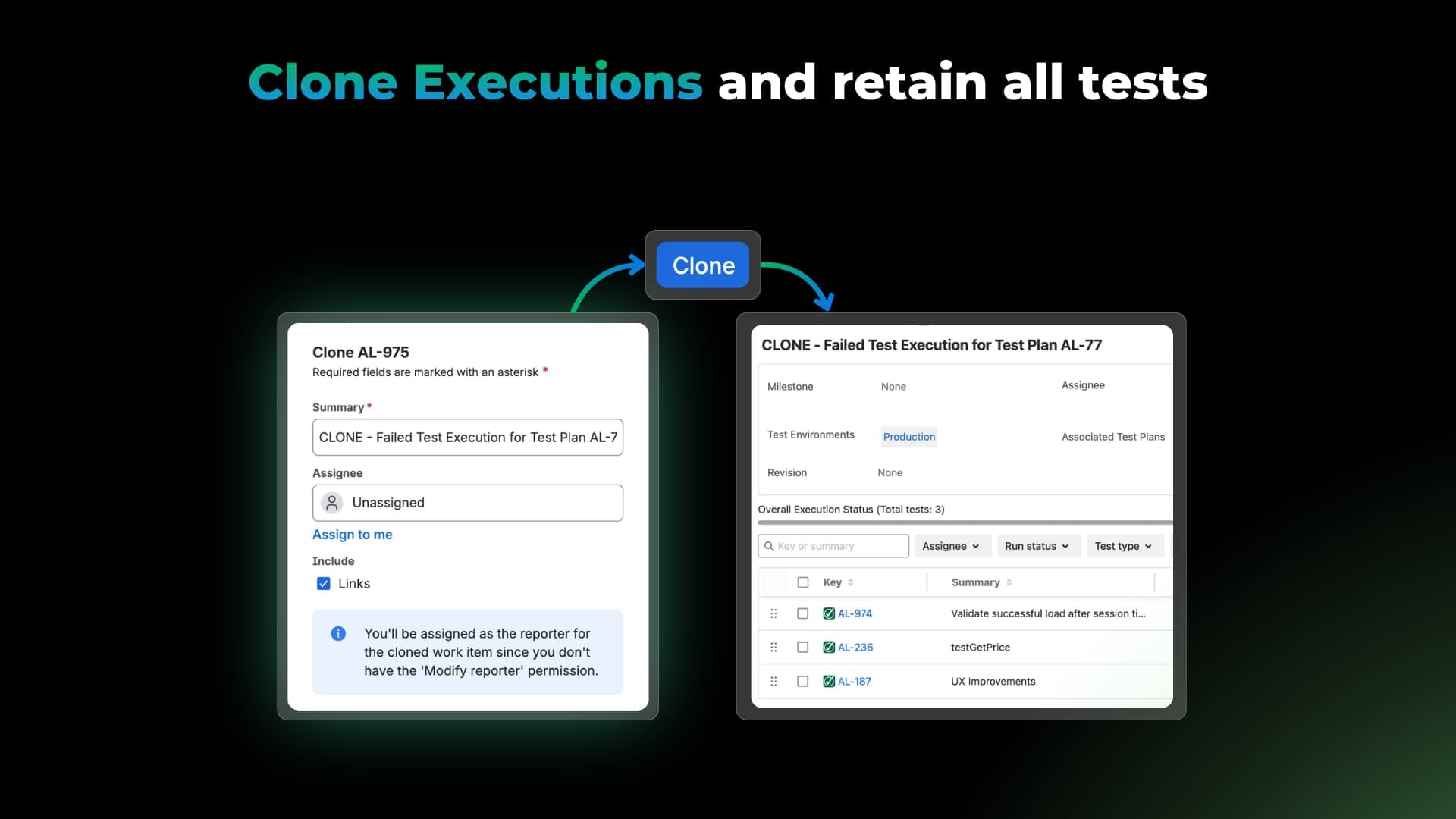
Rebuilding a similar test execution from scratch is slow and repetitive. Clone Execution duplicates an existing execution directly in the Jira view, copying its description, attachments, and linked work items.
Each cloned execution stays linked to its parent record in the backlog, so related executions remain traceable and you skip the manual setup.
What else is new
Alongside these headline features, this release brings a set of improvements to speed up your daily testing.
- Bulk creates Cucumber test cases via REST API: Create Gherkin test cases programmatically through the expanded REST API to speed up your automation pipeline.
- Shareable URLs for requirement groups: The All, Un-grouped, and Excluded groups now have their own copyable URLs, so you can send a teammate a direct link to a specific view.
- Self-hosted GitLab integration: Connect a self-managed GitLab instance by entering your custom GitLab base URL during setup.
Bug fixes and improvements: We also resolved several smaller issues across the app.
Conclusion
With AgileTest 6.0.0 Release, you can:
- Customize AI-generated test cases by type, language, number of cases, number of steps, feedback, and linked examples.
- Clone test executions and keep them linked to the parent record.
- Bulk creates Gherkin test cases through the REST API.
- Share requirement group views with a direct URL.
- Connect AgileTest to a self-hosted GitLab environment.
This release is about generating better test cases with the AI generator, cutting repetitive setup, and keeping testing work easier to share.