
In software development, delivering high-quality applications quickly is a constant challenge. Agile methodologies have become a cornerstone for achieving this balance, emphasizing iterative progress, collaboration, and adaptability. Within this framework, testing plays a pivotal role in ensuring quality at every step.
Enter Selenium, an open-source tool that has revolutionized automated testing, particularly in Agile environments. This article provides a detailed introduction to Selenium and explores its critical role in Agile Testing, offering software testers and developers a deep dive into its capabilities, integration, and practical use cases. Whether you’re new to Selenium or looking to optimize its use in Agile, this guide has you covered.
What is Selenium?
Selenium is a powerful, open-source automation testing framework designed primarily for web applications. Launched in 2004 by Jason Huggins as an internal tool at ThoughtWorks, Selenium has since evolved into a suite of tools widely adopted by testers and developers worldwide.
Its primary strength lies in its ability to automate browser interactions, simulating how real users navigate and interact with web applications. This makes it an ideal choice for functional, regression, and cross-browser testing.
Selenium isn’t a single tool but a collection of components, each serving a distinct purpose:
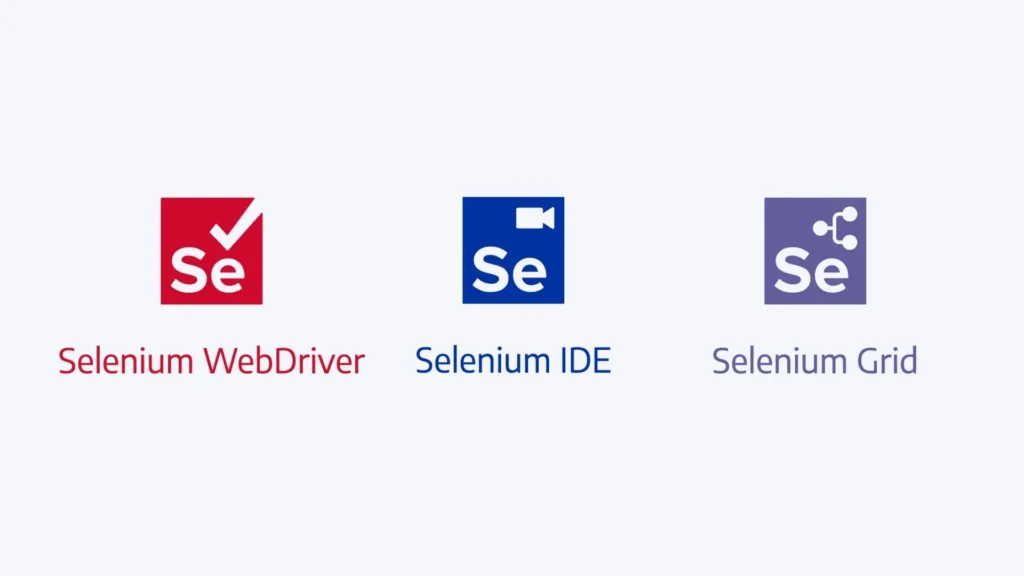
- Selenium WebDriver: The core component, allowing direct control of web browsers through programming languages like Java, Python, C#, Ruby, and JavaScript. It interacts with browsers via their native APIs, offering precise automation without a separate server.
- Selenium IDE: A browser plugin (available for Chrome and Firefox) that provides a record-and-playback interface for creating simple test scripts—perfect for beginners or rapid prototyping.
- Selenium Grid: A tool for parallel test execution across multiple machines and browsers, speeding up testing in large projects.
- Selenium Remote Control (RC): An older component (now deprecated), replaced by WebDriver but historically significant for early Selenium users.
Selenium’s flexibility, support for multiple programming languages, and compatibility with various browsers (Chrome, Firefox, Safari, Edge, etc.) make it a versatile choice for modern testing needs.
Understanding Agile Testing
Before diving into Selenium’s role, let’s briefly recap Agile Testing.
Agile Testing is a continuous, collaborative approach to quality assurance that aligns with Agile development methodologies like Scrum or Kanban. Unlike traditional testing, which occurs after development in a sequential process (e.g., Waterfall), Agile Testing integrates testing into every iteration or sprint.
Key characteristics include:
- Continuous Testing: Testing begins as soon as development starts, ensuring defects are caught early.
- Collaboration: Testers, developers, and product owners work together to define requirements and validate features.
- Automation Emphasis: Automated tests are critical for maintaining speed and consistency in short development cycles.
- Adaptability: Testing adjusts to changing requirements, focusing on delivering customer value.
In Agile, teams deliver a potentially shippable product increment at the end of each sprint (typically 1-4 weeks). This demands rapid, reliable testing—a need that Selenium is uniquely equipped to meet.
→ Try AgileTest – Best Agile Test Management tool for Jira
Why Selenium Fits Agile Testing
Selenium’s design and capabilities make it a natural fit for Agile Testing. Here’s why it’s become a go-to tool for Agile teams:
Speed and Efficiency
Agile sprints are short, leaving little room for lengthy manual testing. Selenium automates repetitive tasks like regression testing, form submissions, and navigation checks, enabling teams to validate features quickly and meet tight deadlines.
Cross-Browser Compatibility
Web applications must work seamlessly across browsers—a key concern in Agile’s customer-centric focus. Selenium supports testing on Chrome, Firefox, Edge, Safari, and more, ensuring consistent user experiences without manual effort.
Integration with CI/CD
Agile teams rely on Continuous Integration/Continuous Deployment (CI/CD) pipelines to automate builds and deployments. Selenium integrates seamlessly with tools like Jenkins, GitLab CI, and CircleCI, running tests automatically whenever code is committed.
→ AgileTest for Jira integrates with many popular CI/CD tools
Flexibility and Customization
With support for multiple programming languages, Selenium allows teams to write tests in their preferred language, aligning with the Agile principle of “individuals and interactions over processes and tools.” Developers and testers can tailor scripts to specific project needs.
Open-Source Advantage
Being free and community-supported, Selenium reduces costs and offers a wealth of resources—tutorials, forums, and plugins—making it accessible to Agile teams of all sizes.
For example, a team working on an e-commerce site can use Selenium to automate checkout flows across browsers, integrate the tests into their CI pipeline, and get results within hours—perfect for a two-week sprint.
How Selenium Works in Agile Testing
To understand Selenium’s role in Agile Testing, let’s walk through its practical application within a typical Agile workflow, such as a Scrum sprint.
Sprint Planning
Collaboration: Testers and developers review user stories (e.g., “As a user, I want to log in with valid credentials”) and define acceptance criteria (e.g., “Login succeeds with correct email and password”).
Test Planning: The team identifies which tests to automate with Selenium, focusing on high-value, repetitive scenarios like login validation.
Development and Testing
Unit Testing: Developers write unit tests (often with frameworks like JUnit or pytest), while testers prepare Selenium scripts for functional testing.
Script Creation: Using Selenium WebDriver, a tester might write a Python script to automate the login process:
python
from selenium import webdriver
from selenium.webdriver.common.by import By
driver = webdriver.Chrome()
driver.get("https://example.com/login")
driver.find_element(By.ID, "email").send_keys("user@example.com")
driver.find_element(By.ID, "password").send_keys("password123")
driver.find_element(By.ID, "login-btn").click()
assert "Welcome" in driver.page_source
driver.quit()Execution: These scripts run alongside development, validating features as they’re built.
Continuous Integration
Selenium tests are integrated into a CI pipeline (e.g., Jenkins). Each code commit triggers the suite, ensuring new changes don’t break existing functionality.
Sprint Review and Feedback
Automated tests provide quick feedback, allowing the team to demo a working feature to stakeholders. Any issues (e.g., a failing login test) are addressed within the sprint.
Regression Testing
At sprint’s end, Selenium runs a full regression suite to confirm the increment is stable, supporting Agile’s goal of a shippable product.
This cycle repeats, with Selenium ensuring quality without slowing progress.
Key Features of Selenium for Agile Testing
Selenium offers several features that enhance its utility in Agile Testing:
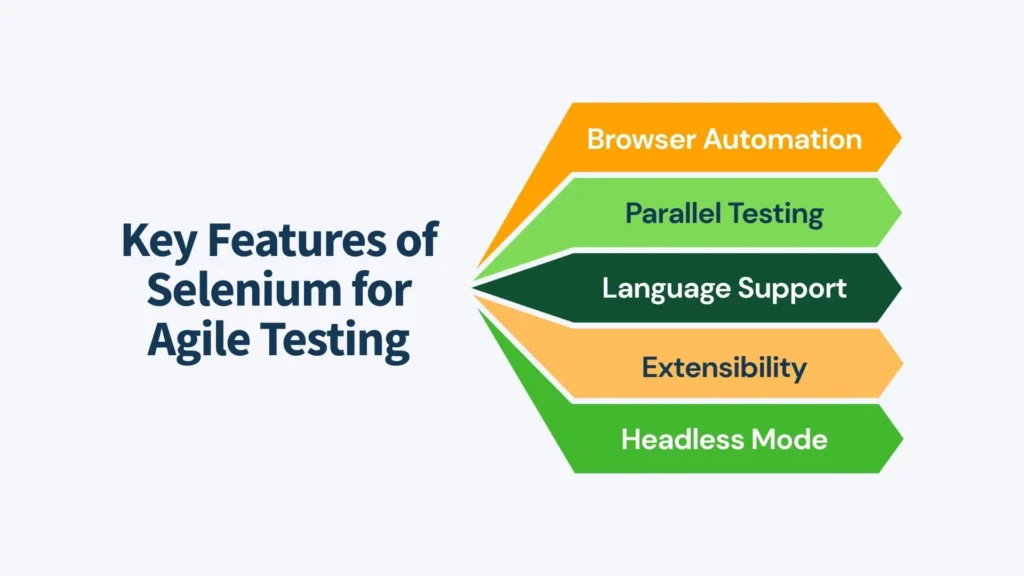
- Browser Automation: Simulates user actions (clicks, typing, scrolling) across browsers, mimicking real-world usage.
- Parallel Testing: With Selenium Grid, tests run simultaneously on multiple machines, cutting execution time—a boon for Agile’s tight schedules.
- Language Support: Java, Python, C#, etc., let teams leverage existing skills.
- Extensibility: Plugins and frameworks (e.g., TestNG, pytest) add functionality like reporting and test organization.
- Headless Mode: Tests run without a visible browser (e.g., Chrome Headless), speeding up execution in CI environments.
For instance, a team testing a responsive web app can use Selenium Grid to verify it on Chrome, Firefox, and Safari in parallel, ensuring compatibility in half the time.
Benefits of Using Selenium in Agile Testing
Selenium brings tangible advantages to Agile teams:
- Time Savings: Automation reduces manual testing effort, letting testers focus on exploratory testing within sprints.
- Consistency: Automated tests run the same way every time, eliminating human error.
- Early Bug Detection: Running tests during development catches defects before they pile up.
- Scalability: Selenium scales with project size, from small startups to enterprise applications.
- Cost-Effectiveness: As an open-source tool, it’s free to use, with a robust community for support.
Consider a team releasing a feature weekly: Selenium’s regression tests ensure stability, saving hours of manual retesting and boosting confidence in each release.
Challenges of Selenium in Agile Testing
While powerful, Selenium isn’t without challenges in Agile contexts:
- Learning Curve: Writing effective scripts requires programming skills, which some testers may lack initially.
- Maintenance Overhead: Test scripts must be updated as the application evolves, a frequent occurrence in Agile.
- Flaky Tests: Unstable tests (e.g., due to timing issues) can erode trust. For example, a script might fail if a page loads slower than expected.
- Limited Scope: Selenium excels at web testing but doesn’t handle mobile apps or desktop applications natively (though tools like Appium can bridge this gap).
- Setup Complexity: Configuring Selenium Grid or integrating with CI tools can be time-consuming.
These hurdles are manageable with training, robust design, and proper tooling, but they require proactive effort.
Best Practices for Selenium in Agile Testing
To maximize Selenium’s effectiveness in Agile, follow these best practices:
Design Maintainable Tests
Use the Page Object Model (POM): Encapsulate page elements and actions in classes, reducing duplication and easing updates. Example:
python
class LoginPage:
def __init__(self, driver):
        self.driver = driver
        self.email_field = driver.find_element(By.ID, "email")
        self.password_field = driver.find_element(By.ID, "password")
        self.login_button = driver.find_element(By.ID, "login-btn")
    def login(self, email, password):
        self.email_field.send_keys(email)
        self.password_field.send_keys(password)
        self.login_button.click()
Prioritize Automation
Automate repetitive, stable tests (e.g., login, navigation) and reserve manual testing for exploratory or one-off scenarios.
Handle Synchronization
Use explicit waits (e.g., WebDriverWait) to avoid flaky tests:
python
from selenium.webdriver.support.ui import WebDriverWait
from selenium.webdriver.support import expected_conditions as EC
wait = WebDriverWait(driver, 10)
element = wait.until(EC.element_to_be_clickable((By.ID, "login-btn")))
Integrate with CI/CD
Hook Selenium tests into Jenkins or GitLab CI, running them on every commit or nightly for regression.
Collaborate Across Roles
Developers can write Selenium-friendly code (e.g., unique IDs for elements), while testers ensure scripts align with user stories.
Monitor and Refactor
Regularly review test results in retrospectives, refactoring scripts to keep them reliable and relevant.
A team applying these practices might automate a checkout process with POM, run it nightly via Jenkins, and tweak it based on sprint feedback—ensuring quality without bottlenecks.
Selenium in Action: A Case Study
Imagine an Agile team building an online banking app. In a two-week sprint, they develop a funds transfer feature:
- Planning: Testers and developers define acceptance criteria: “User can transfer $100 between accounts.”
- Automation: A tester writes a Selenium script in Java:
java
WebDriver driver = new ChromeDriver();
driver.get("https://bankapp.com");
driver.findElement(By.id("login")).sendKeys("user123");
driver.findElement(By.id("password")).sendKeys("pass123");
driver.findElement(By.id("submit")).click();
driver.findElement(By.id("transfer")).click();
driver.findElement(By.id("amount")).sendKeys("100");
driver.findElement(By.id("submit-transfer")).click();
assertTrue(driver.findElement(By.id("success-msg")).isDisplayed());
driver.quit();- CI Integration: The script runs in Jenkins after each commit, testing Chrome and Firefox.
- Outcome: A bug (e.g., transfer fails in Firefox) is caught mid-sprint, fixed, and verified before the demo.
Selenium ensures the feature is robust across browsers, aligning with Agile’s iterative delivery.
Conclusion and Next Steps
Selenium is a linchpin in Agile Testing, empowering teams to automate web testing with speed, precision, and scalability. Its integration into Agile workflows—supporting continuous testing, CI/CD, and cross-browser validation—makes it indispensable for delivering quality software in short cycles. While challenges like maintenance and flakiness exist, they’re outweighed by Selenium’s flexibility and community support.
For testers and developers, getting started with Selenium means:
- Learning: Explore tutorials on Selenium’s official site (selenium.dev) or platforms like Udemy.
- Experimenting: Set up a simple test (e.g., automate a login) using WebDriver.
- Collaborating: Work with your team to integrate Selenium into your next sprint.
With Selenium, Agile Testing becomes not just feasible but powerful—ensuring your software thrives in a dynamic, user-driven world.