

Yes, Jira can be used for QA testing at the basic levels thanks to its core functionalities, but there will be some limitations, as Jira is not primarily developed for testing. While Jira offers strong collaboration and issue-tracking features, its limitations become more apparent as teams attempt to manage test cases, executions, and reports within the tool.
In this article, we’ll explore what QA teams typically expect when using Jira for testing, where Jira performs well, where it falls short, and what teams should consider when deciding whether Jira alone is enough. We’ll also look at how Jira test management add-ons can fill in this gap.
1. Jira Core Functionalities for QA Testing
Many QA teams turn to Jira because it’s already the central hub for their development workflows. When using Jira for QA, teams are often looking for a few key things:
- A single source of truth: QA teams want everything related to testing (requirements, test cases, defects, progress, etc) to live in one place. They want to make sure that teams do not lose track or duplicate any items. A tester should be able to open user stories, immediately see the related test cases, and track which ones passed or failed, all without switching tools.
- Work item traceability: Teams need to easily track whether they have fully tested each requirement during testing. When a product owner asks, “Is this feature ready to release?” QA should be able to show: all requirements → linked tests → execution results → defects.
- A structured process: Testing involves more than running cases. There’s preparation, execution, and reporting. Teams want Jira to support all these steps consistently. For example, testers can conduct a process from creating test cases, executing, and tracking progress.
- Visibility for all stakeholders: Everyone involved should be able to see the current quality status without needing a separate dashboard. Developers can check which tests failed for their assigned story. Managers see overall execution progress and defect trends.
- Customizable reports: Testing teams want to gather all their test results into reports for different tracking purposes.
At its core, QA teams want Jira to serve not just as an issue tracker, but as a central testing platform where quality can be planned, measured, and improved without fragmentation or manual workaround.
2. Using Jira for Test Management
But while Jira checks many boxes as a project and issue-tracking tool, it wasn’t originally designed for end-to-end test management. As QA teams start applying these expectations in real projects, they often discover gaps where Jira works well enough and areas where it begins to fall short.
What Jira Works Well With
- Centralized information: All work items, stories, bugs, and even manually created test case issues can be managed directly within the same Jira board. This means teams don’t have to jump between different tools just to understand what needs testing or what was found during testing.
- Clear Traceability: Jira’s issue linking makes it possible to relate any work items. You can link a bug to the story it impacts, giving you quick clarity on where the issue originated.
- Visibility for Collaboration: Everyone sees the same board and the same progress. When a tester opens a user story, they can immediately see the acceptance criteria, developer comments, and any previously logged defects.
Besides some aspects that Jira can fulfill for QA testing, there are still some hindrances.
What Have Been The Hindrances
Test Management
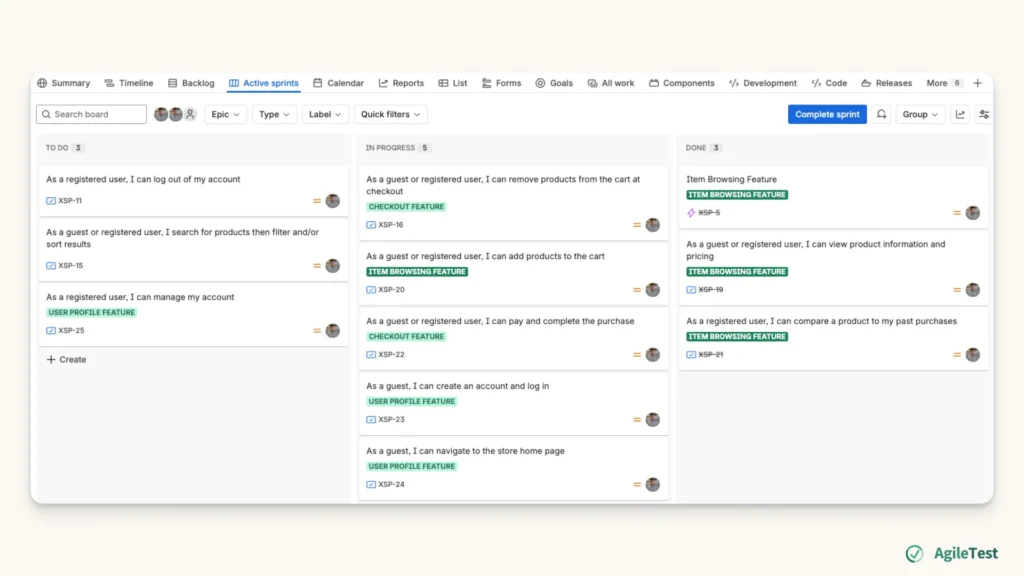
Jira wasn’t originally designed to store or manage test cases. Currently, teams place their test cases and test execution tasks on the same board as stories, bugs, and other work items. This can work for small projects, but it quickly becomes unmanageable as the project grows. When dozens or hundreds of mixed item types appear on a single board, it becomes harder to navigate, which poses the risk of missing important testing items. This turns into a chaotic board filled with user stories, bugs, tasks, test cases, and test executions, all competing for space.
Test Result Report
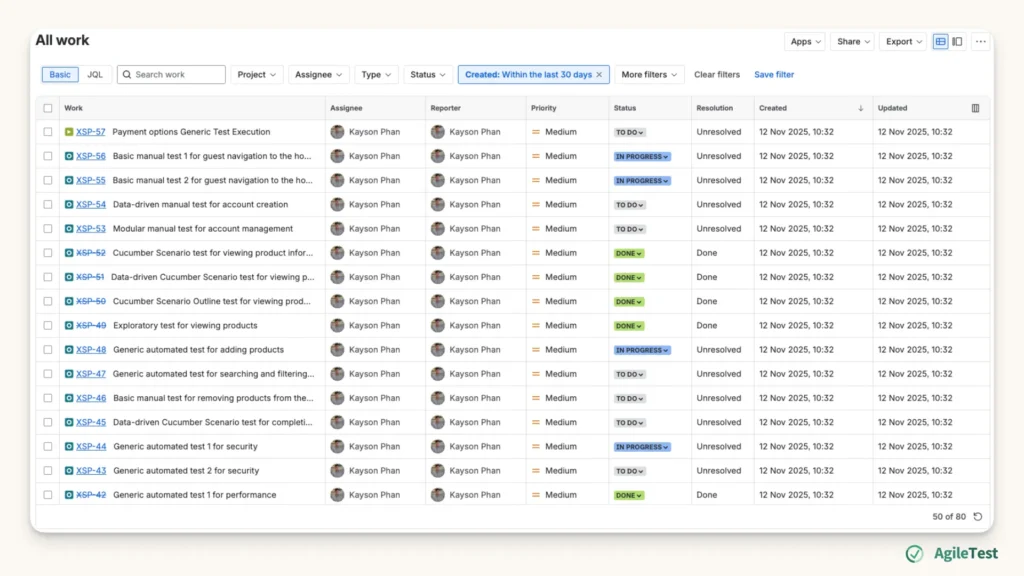
Generating a test report in Jira typically requires configuring a Filter view first. If you want to change what information appears in the report, such as fields, criteria, or sorting, you’ll need to go back to the Filter. Then, you need to adjust it manually and save the changes before re-generating the report. This constant back-and-forth becomes repetitive and time-consuming, especially when you’re trying to analyze different angles of your test results or present updated insights to stakeholders.
What to Consider
Jira can work well for small teams or projects with simple testing needs, especially when the testing process is lightweight and doesn’t require structured test repositories, detailed coverage tracking, or advanced reporting. But as soon as your team grows, your product scales, or your testing becomes more complex, Jira’s native capabilities start showing clear limitations.
If your team needs a more reliable way to manage test cases, track executions, maintain traceability, or generate meaningful reports without manual workarounds, it may be time to consider dedicated test management add-ons built specifically for Jira. These tools extend Jira’s functionality and give QA teams the structure and visibility they need to support larger, more demanding testing workloads.
3. Using Jira Add-ons For Test Management
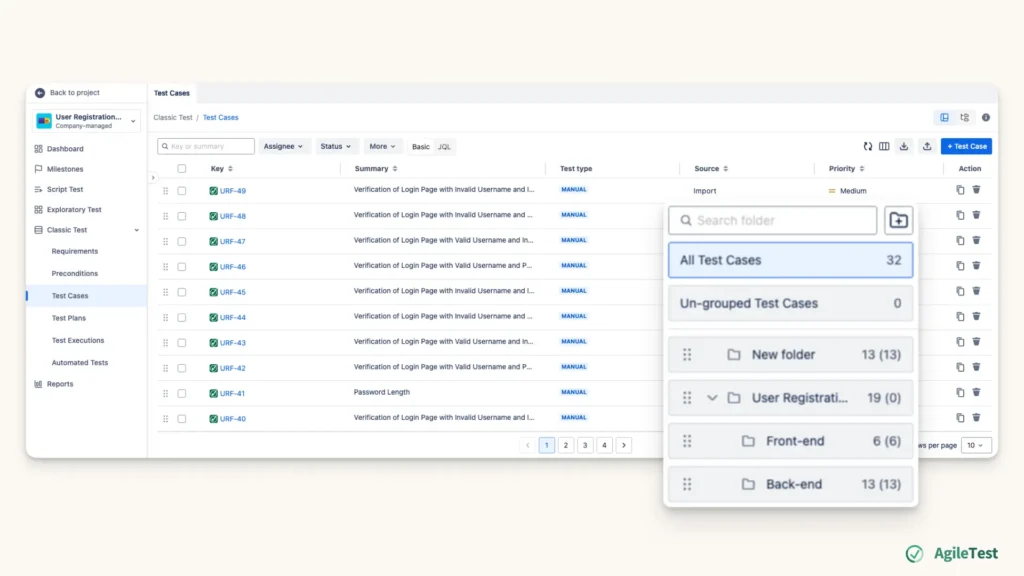
With Jira Add-ons for Test Management, you can have a separate area to create, store, and manage your test cases. Some apps, such as AgileTest, will have the folder features that allow you to categorize test cases into folders. With these features, you can easily filter and keep track of test cases without the risk of mixing test cases with other Jira work items.
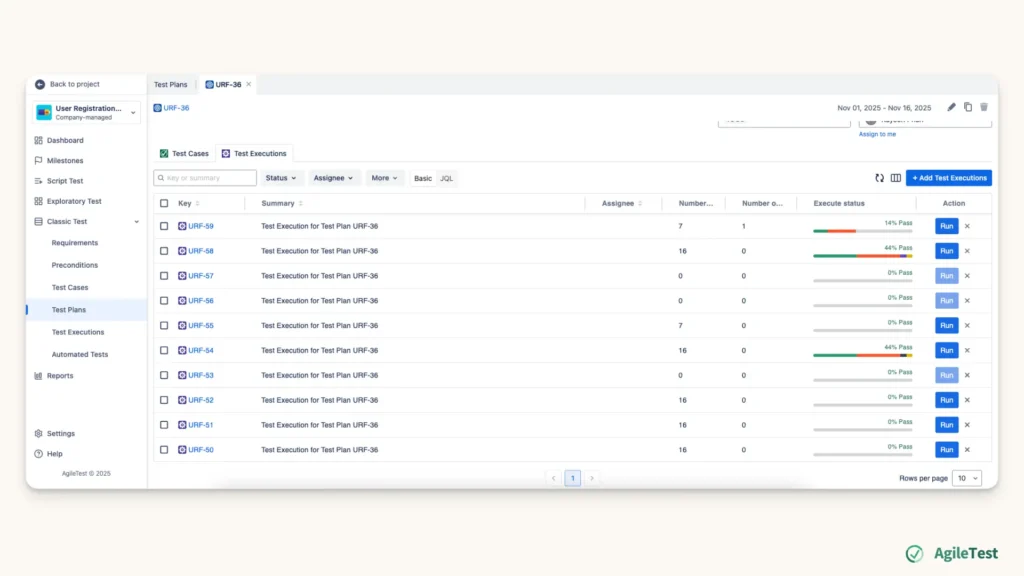
Then, you can continue with your testing workflow with those Jira Add-ons for Test Management by creating execution sessions and running these test cases. All the test results will be stored in a different section. You can access the results for each execution round separately from the other work items.
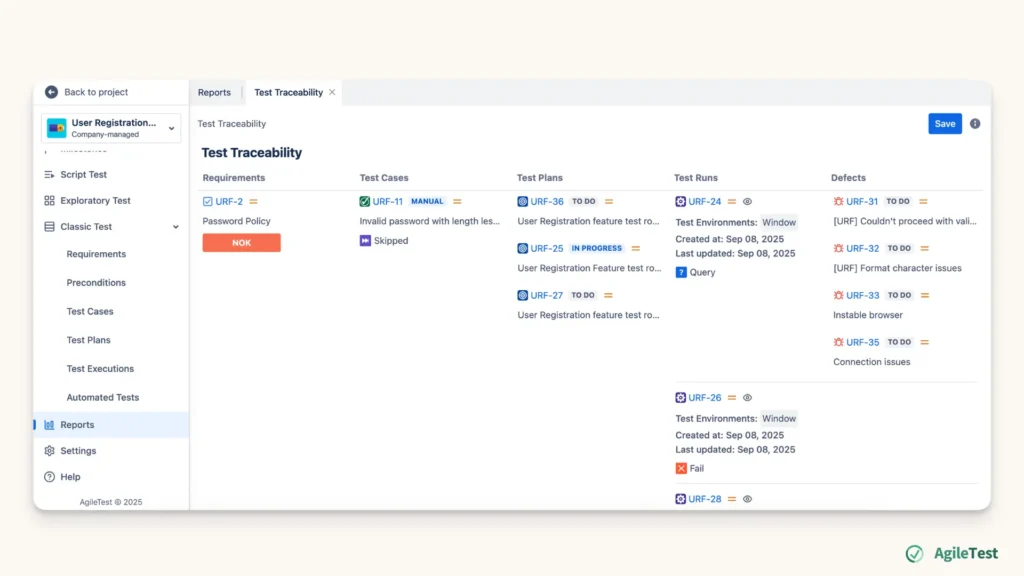
Additionally, these Jira Add-ons for Test Management specialize in generating reports. These data will include the percentage of requirements covered by test cases, the relationship of your requirements & defects with executed test cases, etc. You can also adjust the built-in filter to check and display the information that matches your preference without further setup.
Final thought
Jira is a powerful tool for project management and issue tracking, but it cannot handle full-scale QA processes on its own. For small teams with lightweight testing needs, Jira may be sufficient. However, as testing becomes more structured and projects grow in complexity, Jira’s native limitations can slow teams down and create unnecessary confusion.
By integrating a dedicated test management add-on, you can unlock the structure, visibility, and reporting capabilities needed for a complete QA workflow while still keeping everything inside the Jira ecosystem. The right solution depends on your team’s size, testing maturity, and long-term goals, but with the right tools, Jira can evolve into a platform for managing end-to-end software quality.
AgileTest is a Jira Test Management tool that utilizes AI to help you generate test cases effectively. Try it now!