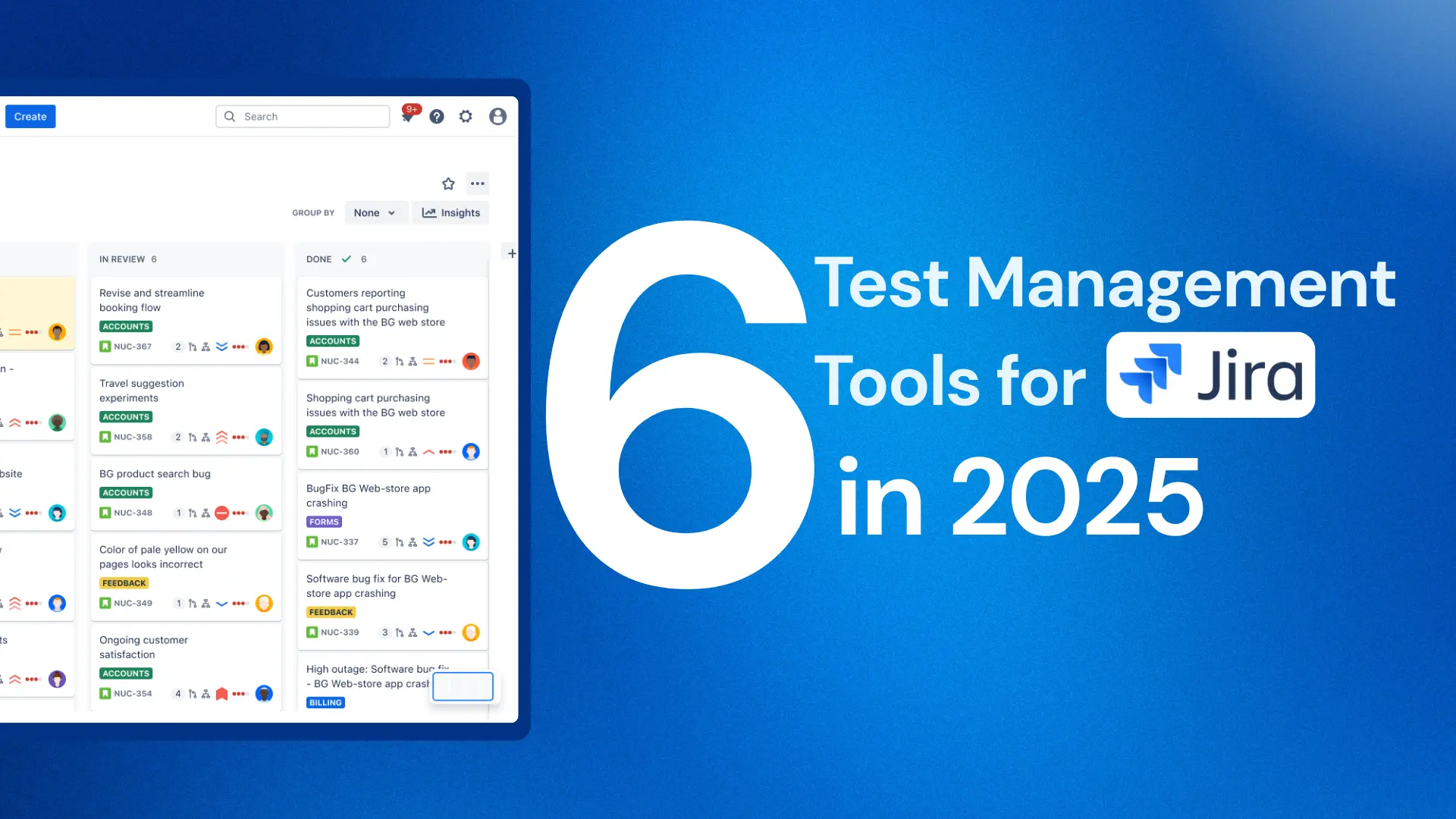

Selecting among different Test Management Tools for Jira is a crucial step to ensure that the software is thoroughly tested and ready for deployment. Whether you’re managing a small team or an enterprise-level project, the right test management platform can enhance your testing efforts and improve collaboration between teams.
This blog compares six popular test management tools for Jira: AgileTest, ACCELQ, TestDino, TestRail, QMetry, Xray, Zephyr, and RTM for Jira, to help you choose the best one for your needs. Each tool offers a unique set of features, ranging from manual and automated testing support to reporting and AI-driven capabilities. We’ll explore how these tools stand out in terms of test types, reports, AI functionalities, and pricing, helping you make an informed decision.
1. AgileTest – Jira Native Test Management Tool
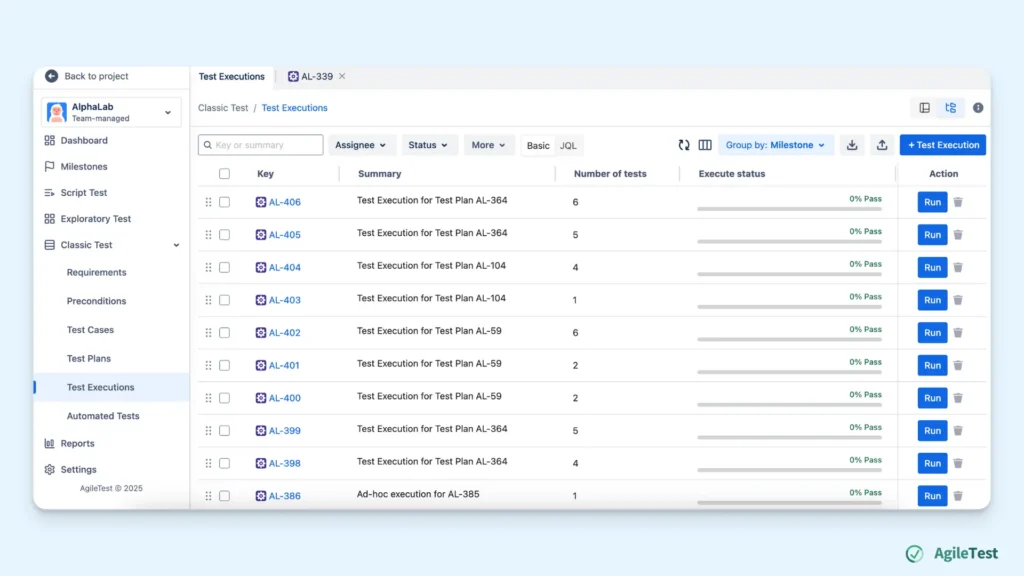
AgileTest, developed by DevSamurai, is one of the native test management tools for Jira. It is available on Atlassian Marketplace in two versions: Jira Cloud and Jira Data Center. All the features are nearly the same for both versions, excluding the AI-powered test generation, which is only available in the Cloud version.
Testing Strategies
As one of the test management tools for Jira, AgileTest has three separate features that help testers and teams conduct three main types of manual testing, including:
- Script Test: a feature that allows testers to list out test cases with no detailed test steps, can be used for a quick and daily check-up.
- Exploratory Test: a feature that testers can use to record their findings during exploratory test sessions with no preparation needed in advance.
- Classic Test: a feature that testers can define requirements, generate test cases and test steps, then create test executions to track and run these test cases following the plan.
Currently, AgileTest supports teams to integrate with CI/CD tools (Jenkins, Bitbucket, GitLab, Github, CircleCI,…) and seven testing frameworks (JUnit, NUnit, TestNG, xUnit, Robot Framework, Cucumber, Behave) for test automation frameworks.
Report
AgileTest supports you and your team to generate three types of reports that are linked with Requirements and Defects:
- Test Coverage report: identifies if all the requirements are fully covered with test cases
- Test Traceability report: shows the relationship between test cases, test plan, defects, test runs, and requirements.
- Defect Summary report: summarizes all defects found during execution sessions, gaining more centralized management in one place.
AI Capabilities
- AgileTest’s AI Generators can help you generate test cases and test steps from the description of your Requirements. The generating process takes place within seconds, and you can have more time to edit and refine these work items.
Pricing (Cloud version)
- Free 30-day trials
- Free for teams under 10 members
- $1.5 per member each month for teams from 11 to 100 members; discounts will be applied when the team size increases
2. ACCELQ – Codeless Test Automation Agentic AI with Built-In Test Management
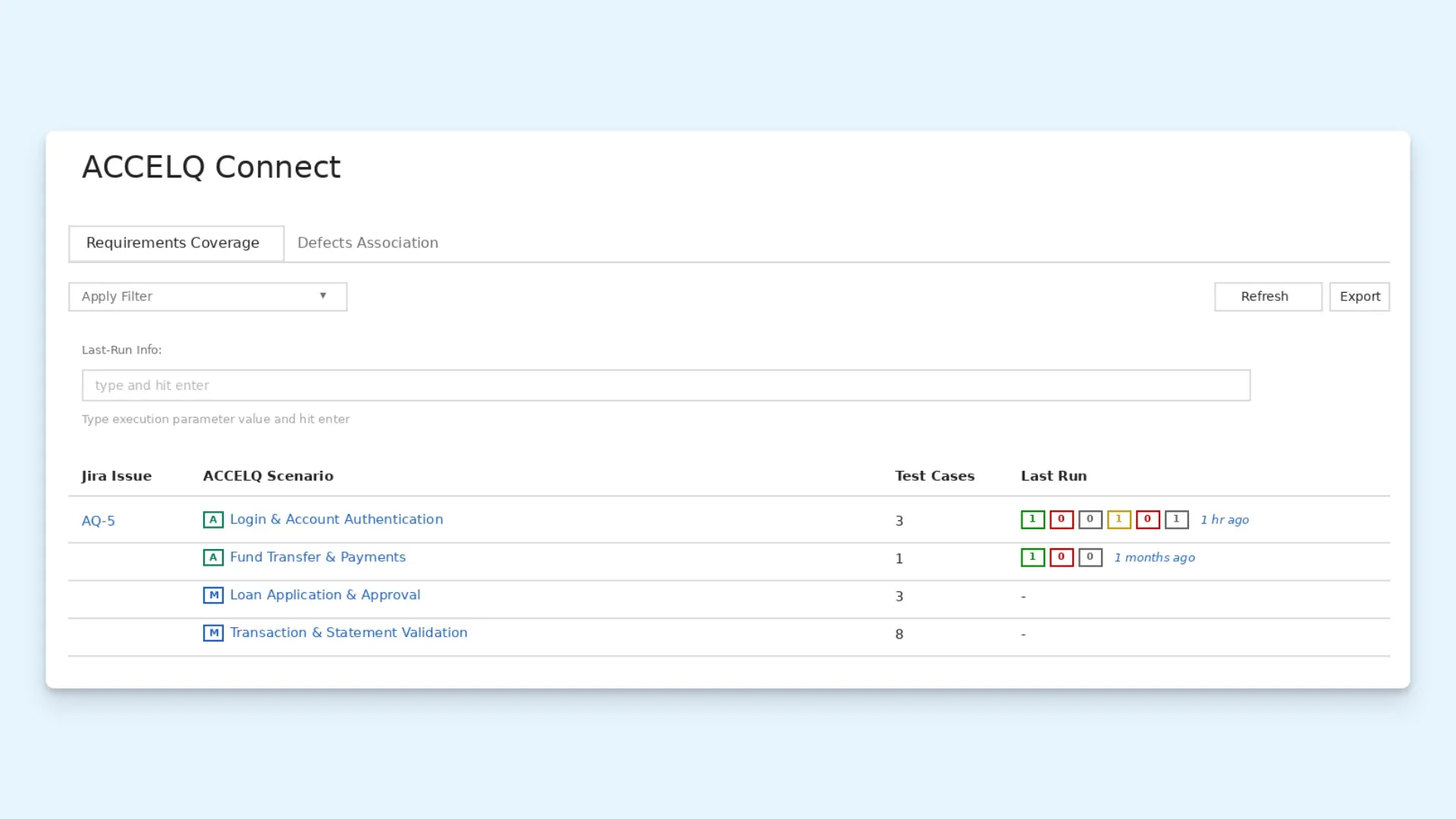
ACCELQ Manual, developed by ACCELQ Inc., is a full test management module, alongside codeless automation across web, API, mobile, desktop, and mainframe applications. It uses natural-language, Action-Word test creation, so both technical and non-technical team members can build and maintain test logic in plain English. ACCELQ integrates with Jira through ACCELQ Connect on the Atlassian Marketplace, and pulls requirements traceability from Jira and Azure DevOps into a single coverage view. Available as a cloud-based platform with a free trial.
Source: ACCELQ
Testing Strategies
For manual testing, ACCELQ Manual gives teams a dedicated module to create, organize, and execute manual test cases and test plans, with direct traceability into Jira issues through ACCELQ Connect.
For automated testing, ACCELQ’s Autopilot AI agent layer drives the platform end to end: converts natural-language steps into test logic, self-healing adapts tests automatically when application elements change, and App Universe generates test scenarios and data permutations from predictive analytics, reducing manual scripting for complex business flows.
Supported CI/CD integrations include Jenkins, Bamboo, Azure DevOps, GitHub Actions, TeamCity, and CircleCI. ACCELQ also connects to Rally, Spira Test, and ClickUp for requirements and defect tracking, and supports Slack notifications on test execution completion, plus SSO through Azure AD, Okta, Google, and GitHub.
Report
ACCELQ provides reporting views built around Jira traceability:
- Test Coverage Report: maps ACCELQ test scenarios against Jira issues and shows which are covered.
- Requirements Traceability Report: tracks scenario-to-requirement links pulled from Jira or Azure DevOps.
- Execution Analytics Dashboard: pass/fail insights across web, API, mobile, and desktop test runs.
- Test Run Summary: latest execution status for every scenario mapped to a given Jira issue, viewable from the issue itself.
- Custom Filtered Views: teams save and manage multiple filters to review coverage for a specific scope in one place.
AI Capabilities
Autopilot is ACCELQ’s AI agent layer, generating and maintaining tests across the full lifecycle rather than assisting a human who directs each step:
- Intent-based test creation: converts plain-English steps into full test logic, so teams build complex navigation and validation flows directly.
- Self-healing: detects UI and element changes and adapts existing test scripts automatically, cutting maintenance overhead.
- App Universe: uses predictive analytics to generate test scenarios and data permutations for coverage.
Pricing
- Custom, quote-based pricing across plan tiers: Automate Web, Automate Mobile, Automate API, ACCELQ Manual, and ACCELQ Unified
- Pricing is quoted directly by ACCELQ based on team size and modules needed
3. TestDino – Playwright Test Reporting and Analytics
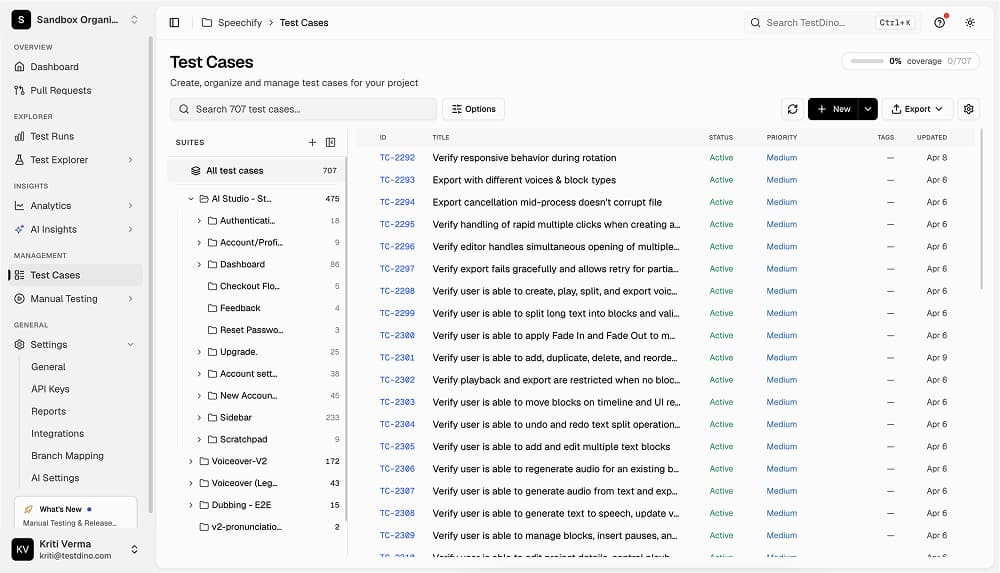
TestDino is a test reporting and analytics platform built for teams running Playwright test suites in CI. It ingests test results from every pipeline run, stores them permanently with full evidence attached (traces, screenshots, videos, console logs, and git context), and surfaces health trends, flaky tests, regressions, and failure patterns across runs. It integrates with Jira to create prefilled issues directly from failed or flaky tests. Available as a Cloud platform with a free Community plan.
Source: TestDino
Testing Strategies
For manual testing, TestDino includes a built-in Test Management module where teams can organize manual test cases and suites alongside their automated Playwright runs. This gives QA teams a single place for both manual and automated coverage, with traceability from requirement to test case to the automated run that covered it.
For automated testing, TestDino is purpose-built around Playwright and connects directly to your CI pipeline via a CLI reporter. Every test case result is stored permanently with its full evidence, run context, and git metadata. Teams use it to detect flaky tests, group failures by root cause, rerun only failed tests to cut pipeline time, and enforce quality gates on pull requests via GitHub Status Checks.
Supported CI/CD integrations include GitHub Actions, GitLab, Azure DevOps, and TeamCity. Issue tracker integrations include Jira, Linear, Asana, and monday. Slack integration posts branch-mapped run summaries to configured channels automatically.
Report
TestDino provides multiple reporting views, all built from permanently stored run data:
- Dashboard: a role-based view showing test health trends, flaky test list, PR status, and run summaries for QA engineers, developers, and managers.
- Analytics: suite-level health metrics, pass rate trends, failure distribution, and performance insights over time.
- Test Runs view: per-run breakdown with traces, screenshots, videos, and console logs accessible without downloading artifacts.
- Automated PDF Reports: scheduled PDF summaries on daily, weekly, or monthly cadence, generated automatically and delivered without manual steps.
- GitHub PR Comments: AI-generated summaries posted to commits and pull requests showing passed, failed, flaky, and skipped counts, pass rate, duration, and failure breakdown by file.
AI Capabilities
- AI Failure Classification: automatically classifies failures by root cause and groups similar errors across runs to reduce manual triage.
- AI Insights: surfaces failure patterns, regression signals, and flake trends from historical run data.
- MCP Server: connects TestDino to Claude, Cursor, and ChatGPT so AI agents can query test runs, analyze failures, inspect traces, and suggest fixes using natural language directly from the IDE.
- Bulk Test Case Generation: creates test cases via MCP from PRDs, user stories, or Jira tickets in bulk.
Pricing
- Community (Free): 5,000 test executions per month, 1 project, 1 team member, 14-day data retention. Includes flaky detection, quality metrics, failure categorization, and dashboard.
- Professional: $49/month (or $39/month billed annually). 25,000 executions, 3 projects, 3 members, 60-day retention.
- Team: $99/month (or $79/month billed annually). 75,000 executions, 5 projects, 30 members, 365-day retention.
- Enterprise: custom pricing, unlimited artifact storage, custom retention.
- 14-day free trial available on all paid plans. API key generated from project settings.
4. TestRail
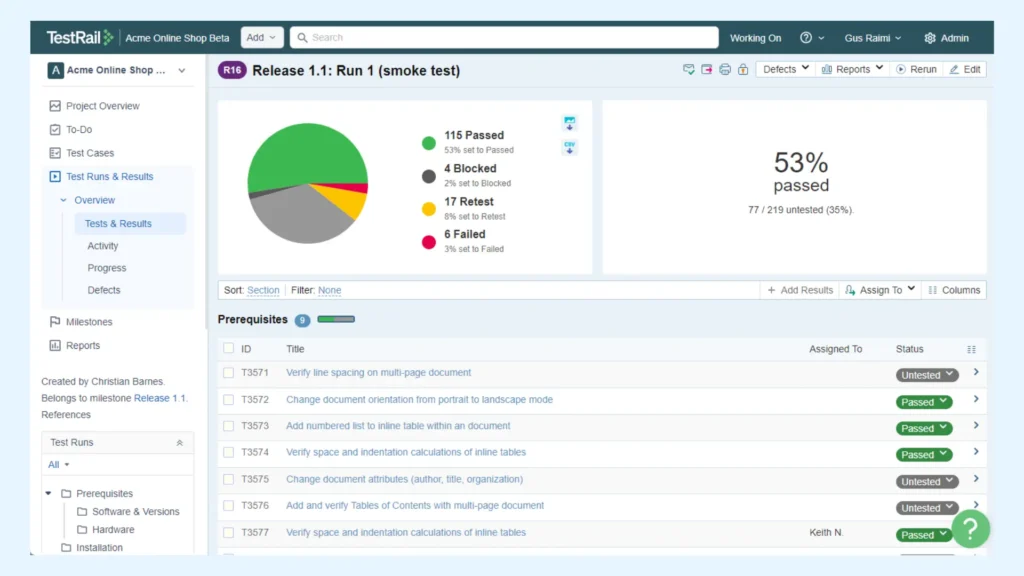
TestRail, developed by IDERA, Inc., is a standalone test management tool that can integrate with Jira. It is available in Cloud and Server versions. Both versions provide core test case management and reporting, but the Cloud version is hosted by IDERA, while the Server version requires on-premises setup (own-host).
Source: TestRail
Testing Strategies
For manual testing, TestRail focuses only on the formal testing, which usually needs detailed test cases and test steps setup. In case you need to conduct some simple testing, such as ad-hoc or exploratory, you can also use this feature and bypass the complex setup. However, it would take you time to manage results from different testing strategy in one place.
For automated testing, TestRail supports integration with nine CI/CD tools (Jenkins, GitLab, Bitbucket, GitHub, Azure DevOps, CircleCI, Travis CI, TeamCity, Bamboo) and seven testing frameworks (JUnit, NUnit, TestNG, xUnit, Selenium, Cucumber, Robot Framework, Appium).
Report
TestRail shifts the focus of reports to the test execution and the overall test project with four main types of reports:
- Test Case Report: shows test case details, execution status, and metrics.
- Test Run Report: displays the status of test cases (e.g., pass, fail, blocked), which helps teams track overall execution progress.
- Test Plan Report: tracks the execution of multiple test executions grouped in a Test Plan, offering insight into overall project progress.
- Defect Summary Report: TestRail integrates with Jira to generate defect reports, summarizing defects linked to failed test cases.
AI Capabilities
- TestRail’s AI Test Cases Generator can help you generate test cases based on Requirements and saved templates. You can refine the draft that AI has generated to better match your preferences.
Pricing
- No trials
- $40 per member each month for teams from 1 to 20 members
- $33 per member each month for teams from 21 to 60 members; discounts will be applied when the team size increases
5. QMetry
QMetry, developed by QMetry, Inc., is a standalone test management tool with Jira integration. It is available in Cloud and On-Premises versions. Both versions offer test management, automation support, and reporting, but the Cloud version includes AI-assisted test analytics and faster setup.
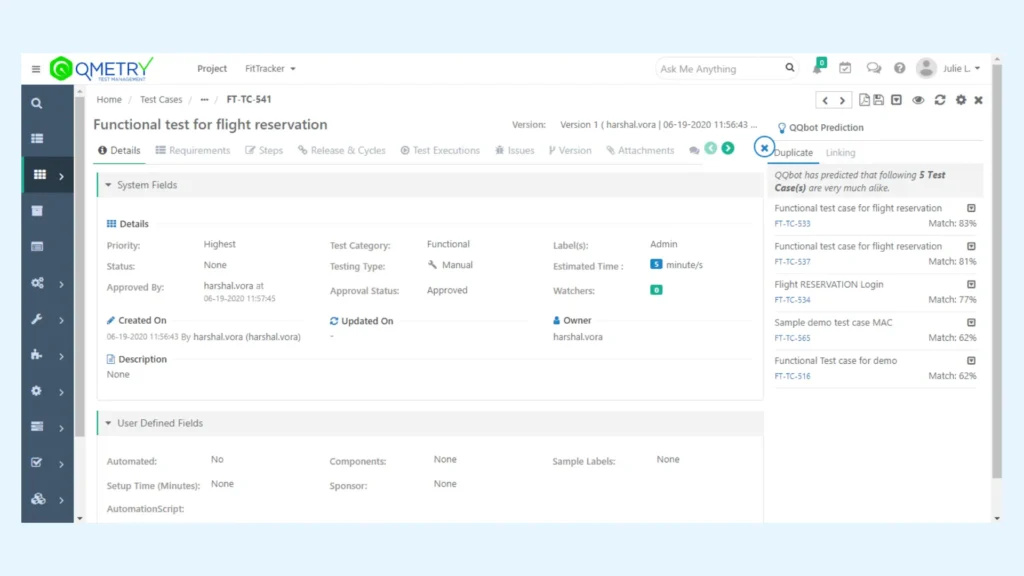
Source: QMetry
Testing Strategies
Regarding manual testing, QMetry has two main features:
- Exploratory testing: an extension that helps testers record and store their finding during exploratory sessions
- Test Case Management: a feature to generate test cases & test steps, then execute them for test results.
For automated testing, QMetry integrates with five CI/CD tools (Jenkins, GitLab, Bitbucket, GitHub, CircleCI) and seven testing frameworks (JUnit, Selenium, Cucumber, Appium, TestNG, Robot Framework, Postman).
Report
QMetry offers testers three main types of reports:
- Test Coverage Report: provides coverage analysis by linking test cases to requirements or user stories, ensuring all aspects are tested.
- Test Execution Report: shows the status of test cases after execution, tracking results (pass/fail/blocked).
- Defect Summary Report: displays defects identified during test runs and links them back to failed test cases, helping teams manage defects effectively.
AI Capabilities:
- Auto-Test Case Generator: can automatically create test cases based on application requirements and user stories
- AI-powered smart search helps scan through vast amounts of test data to locate relevant test cases, defects, and other important artifacts to find specific test artifacts quickly and efficiently
Pricing (Cloud Version)
- Free 30-day trials
- Free for teams under 10 members
- $3.8 per member each month for teams from 11 to 100 members; discounts will be applied when the team size increases
6. Xray
Xray, developed by Adaptavist Group, is a Jira-native plugin for test management. It is available in three versions: Cloud, and Data Center. The Cloud version offers automatic updates and cloud hosting, while Data Center provide self-hosting, greater customization, and scalability options.
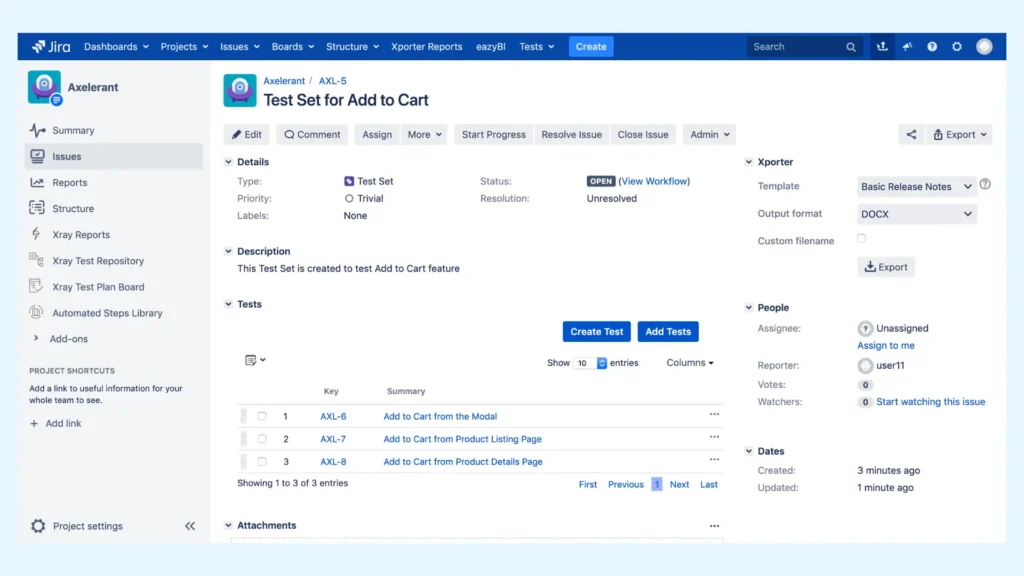
Source: XRay
Testing Strategies
For manual testing, XRay emphasizes the formal testing only. It has separate areas for you to organize test cases, test plans, and test execution. Similar to TestRail, you can also conduct other simple test types and bypass the complex setup.
For automated testing, Xray supports integration with five CI/CD tools (Jenkins, GitLab, Bitbucket, Bamboo, Azure DevOps) and seven testing frameworks (JUnit, TestNG, Selenium, Cucumber, Robot Framework, Appium, JBehave).
Report
Xray also supports you with three types of reports
- Test Coverage Report: tracks whether requirements are fully covered by test cases, showing the relationship between tests and requirements.
- Test Execution Report: shows the execution results of tests, including status, failure details, and links to Jira issues.
- Defect Summary Report: provides a summary of defects discovered during test execution, integrating with Jira issues for tracking and resolution.
AI Capabilities
- AI for Smart Test Execution: analyzes historical data and usage patterns to recommend the best order for test execution, prioritizing the most impactful tests first.
- Automated Test Result Analysis: analyzes automated test results and can suggest potential reasons for failures, making it easier to identify issues early in the test cycle.
Pricing (Cloud version)
- Free 30-day trials
- $1.2 per member each month for teams under 10 members
- $7.6 per member each month for teams from 11 to 100 members; discounts will be applied when the team size increases
7. Zephyr
Zephyr, developed by SmartBear Software, is a Jira plugin test management tool. It is available in Zephyr Squad, Zephyr Scale, and Zephyr Enterprise versions. Zephyr Squad is designed for small to medium teams with basic test management features. Meanwhile, Zephyr Scale adds advanced planning, reporting, and stronger automation integrations. Zephyr Enterprise offers full enterprise-level scalability, centralized test repositories, and extensive customization for large organizations.
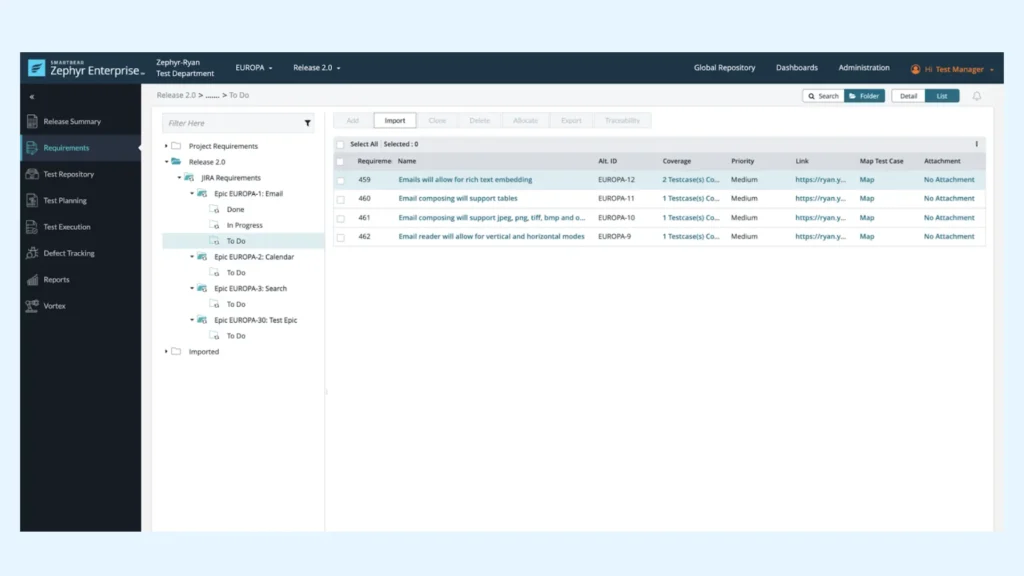
Source: Zephyr
Testing Strategies
For manual testing, Zephyr also focuses on structured test management. It allows teams to create test cases and test executions with separate sections. Same as TestRail and Xray, you can also make use of this feature for the less complex test types.
For automated testing, Zephyr supports integration with five CI/CD tools (Jenkins, Bitbucket, GitHub, CircleCI, Bamboo) and seven testing frameworks (JUnit, TestNG, Selenium, Cucumber, Robot Framework, Appium, NUnit).
Report
Zephyr offers three types of reports for your team to choose from
- Test Execution Report: Tracks the execution status of test cases across test cycles, providing insights into pass/fail results.
- Test Cycle Report: Displays the progress of tests within a specific test cycle, showing execution status and defects.
- Defect Summary Report: Summarizes all defects linked to failed tests, offering centralized defect tracking in Jira.
AI Capabilities
- AI Test Step Suggestion: suggest test steps based on your existing test cases. This feature aims to enhance test coverage and efficiency by automating part of the test creation process
Pricing (Cloud Version)
- Free 30-day trials
- $1.0 per member each month for teams under 10 members
- $5.21 per member each month for teams from 11 to 100 members; discounts will be applied when the team size increases
8. Requirements & Test Management for Jira (RTM)
Requirements & Test Management for Jira (RTM), developed by Deviniti, is a Jira-native app that brings requirements, test cases, test plans, executions, and defects together into a single structured workspace.
It’s designed for engineering, medical, industrial, hardware, and public-sector teams that need real traceability and controlled documentation, without the complexity of enterprise QA suites.
Unlike heavier tools (e.g., Xray or Zephyr), RTM focuses on clarity, traceability, and ease of adoption. It helps teams set up organized QA processes without complex configuration or overhead.
Testing strategies
Manual testing
RTM supports real-world testing workflows — including teams with hardware constraints or low automation coverage.
RTM provides a clean, guided flow for creating reusable test cases, grouping them into structured test plans, and executing them step-by-step. Testers follow a dedicated execution view, attach evidence, mark results, and instantly communicate outcomes to the broader team.
Thanks to its tree-structured hierarchy and direct/indirect relations, teams avoid the common Jira issue sprawl and finally gain a centralized repository for test assets.
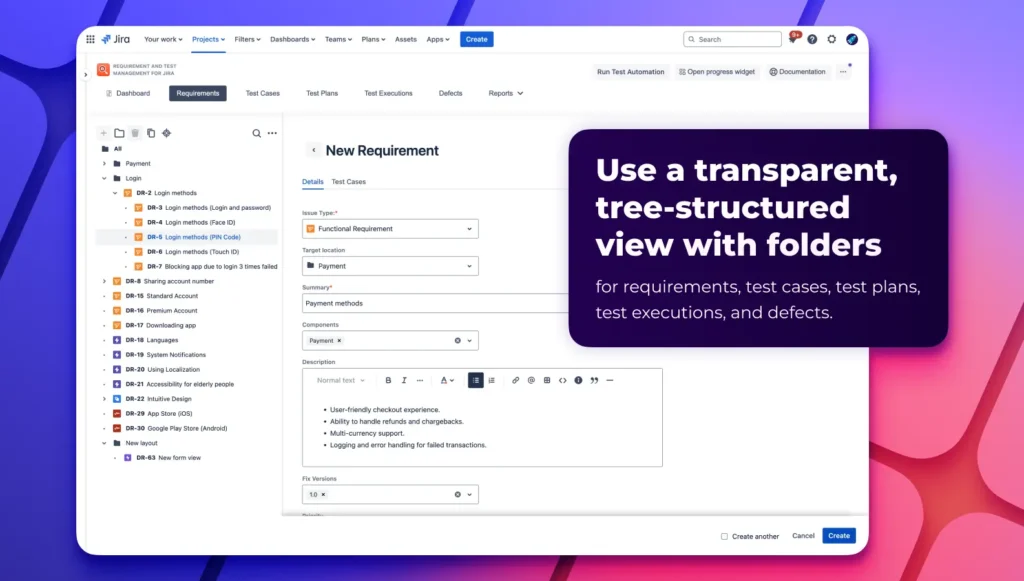
Source: Deviniti
Automated testing
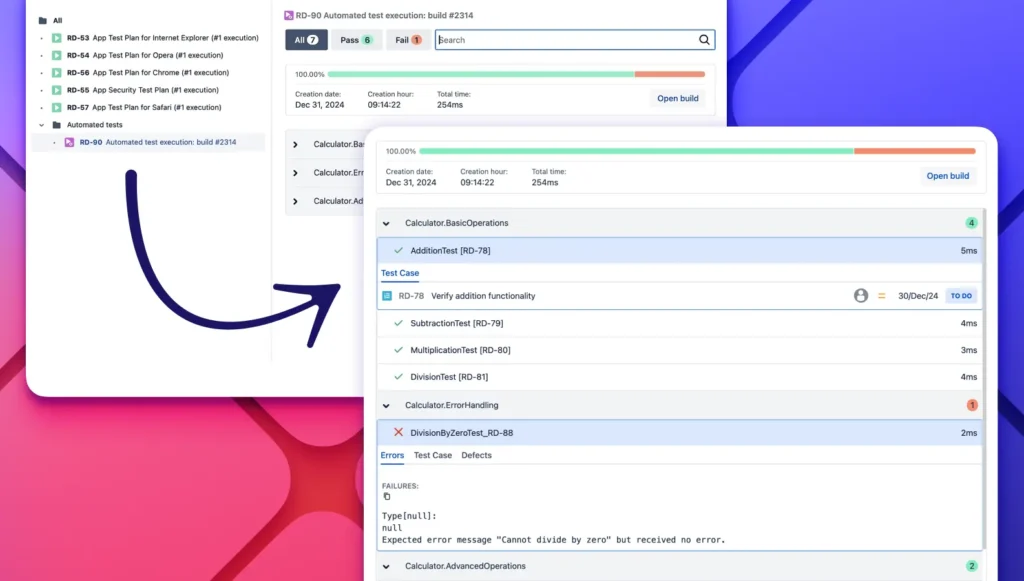
RTM supports automated testing via REST API and native JUnit result import, allowing CI/CD servers such as Jenkins and GitHub to push automation results directly into Jira. This unifies manual and automated outcomes in one place and helps improve visibility across environments.
Source: Deviniti
Reporting
RTM offers ready-to-use, test-aware reports designed for teams that need clear project visibility without building custom dashboards. The most frequently used reports include:
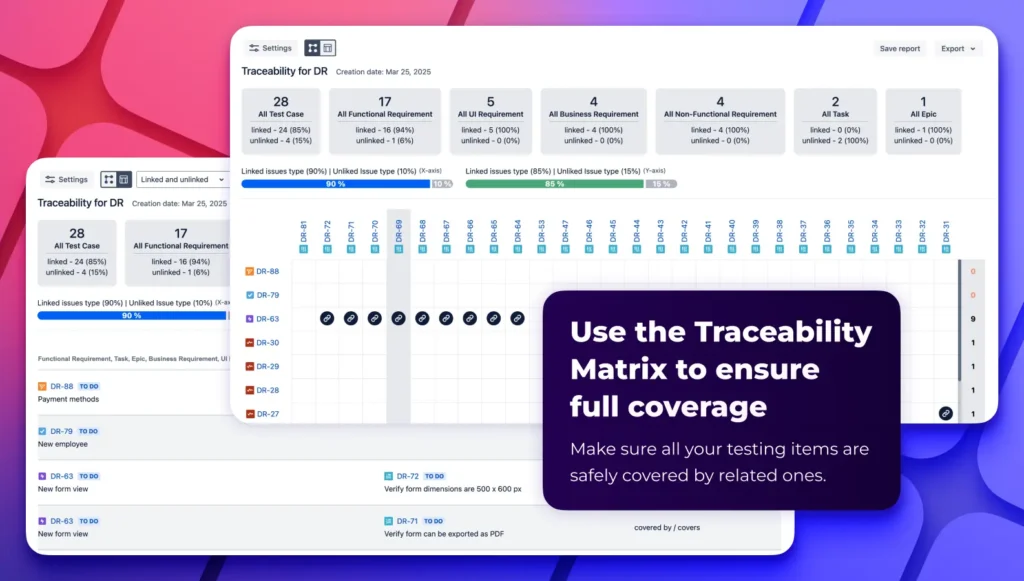
- Traceability Matrix: Live, many-to-many mapping between requirements, tests, executions, and defects. Essential for compliance and change impact analysis.
- Requirement Coverage Report: Shows exactly which requirements are covered by tests (and highlights any that aren’t).
- Test Execution Reports: Provide real-time insight into pass/fail progress, environments, assignees, and timelines.
Reports can be downloaded, shared, or added to RTM dashboards for ongoing monitoring.
Teams stop building dashboards manually in JQL or exporting to Excel — RTM provides shared visibility that aligns everyone.
Source: Deviniti
AI capabilities
AI test case generation: Automatically creates draft test cases from one or multiple requirements. This accelerates test authoring, helps junior testers, and ensures consistent structure across teams. Users can review, refine, approve, or reject AI suggestions via a dedicated progress widget.
RTM’s AI is intentionally lightweight and practical — meant as an assistant, not a replacement.
Pricing (Cloud version)
RTM offers a 30-day free trial and more accessible pricing than tools like Xray or Zephyr, making it attractive for teams that need structure and traceability without enterprise-level cost.
Example pricing:
- Free 30-day trial
- 11–100 users: average of $1.82 per user per month (Standard version), $2.30 per user per month (Advanced version)
- 1000+ users: average of $0.82 per user per month (Standard version), $1.02 per user per month (Advanced version)
Source: Atlassian Marketplace
Final thoughts – Choosing the Right Test Management Tools for Jira
Choosing the right test management tools for Jira depends on your team’s specific requirements, scale, and workflows. Whether you’re looking for test management tools for Jira with AI-powered test generation like AgileTest, a reporting and test case management system like TestRail, or a tool with strong CI/CD integration like QMetry, each platform offers unique features that cater to various testing needs.
By understanding the key strengths and unique features of each tool, you can select the one that best fits your testing workflow and project requirements. Whichever tool you choose, integrating a test management system will ultimately enhance your testing processes, improve collaboration, and help you deliver higher-quality software.