
Finding the right free Test Management Tools for Jira can be challenging, especially with so many options available on the Atlassian Marketplace. To save you time and effort, we’ve curated a list of the Top 5 Free Test Management Tools for Jira in 2026 — all designed to help QA and Agile teams manage testing efficiently within Jira.
In this article, you’ll find a clear comparison of each tool’s pricing model, key features, and user reviews based on data gathered from the Atlassian Marketplace, so you can choose the solution that best fits your team’s workflow and needs.
1. AgileTest: Enterprise QA Testing, Test Management for Jira
Developed by DevSamurai, AgileTest is a native Jira test management app designed for Agile and DevOps teams. AgileTest is known for its simplicity and Atlassian-native experience; it’s ideal for teams looking for a fully integrated QA solution, especially in Jira Test Management.
Pricing
- One pricing plan only
- Free for teams under 10 members
- USD 1.50 for each user per month when teams are from 11 to 100 members
Key Features
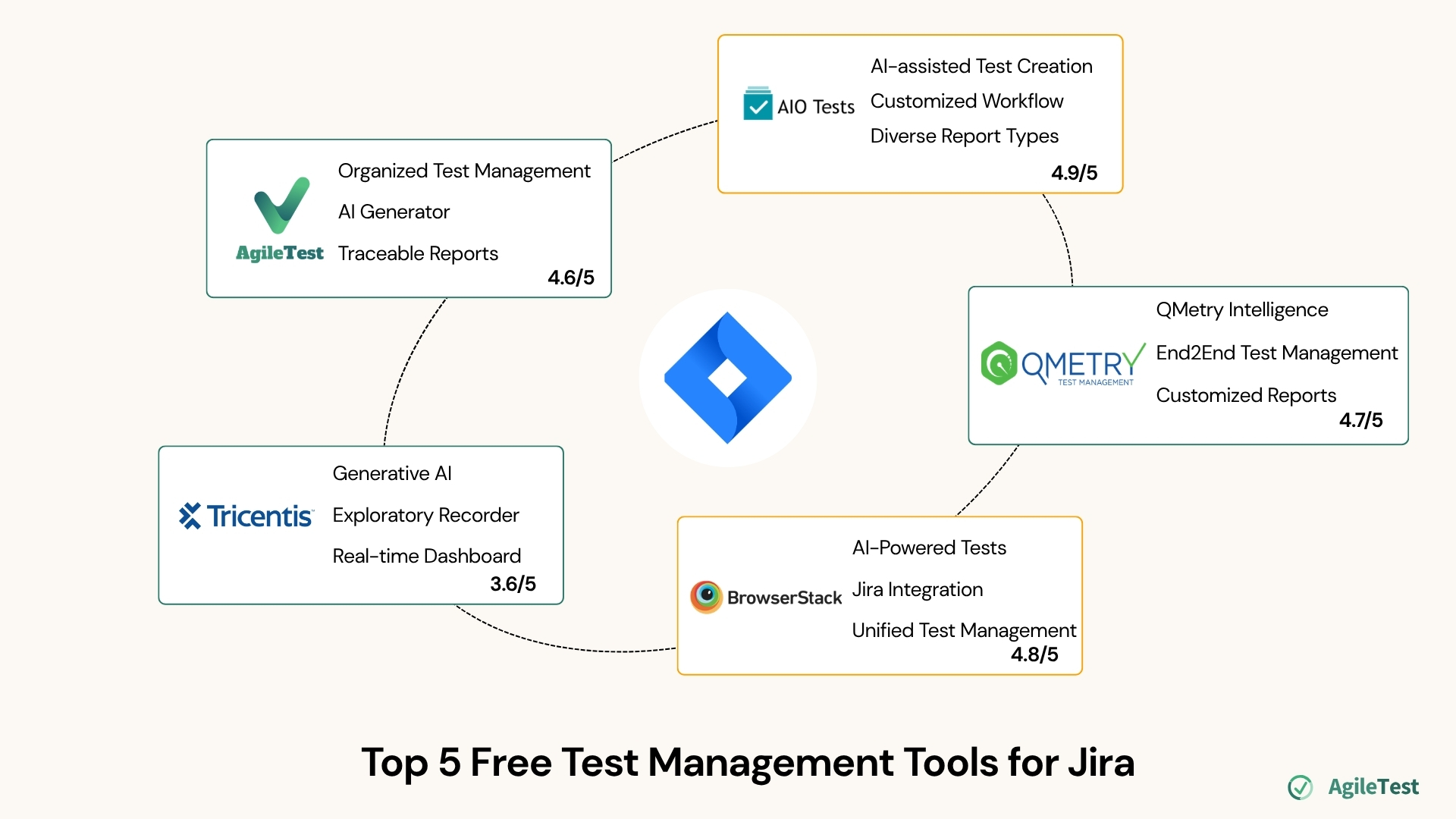
- Organized Test Management: AgileTest allows you to make use of the Folders feature to store and structure relevant test cases in the same categories.
- AI Generator: AgileTest’s AI Generator helps you to generate test cases and detailed test steps based on your requirement description, saving more time for test preparation.
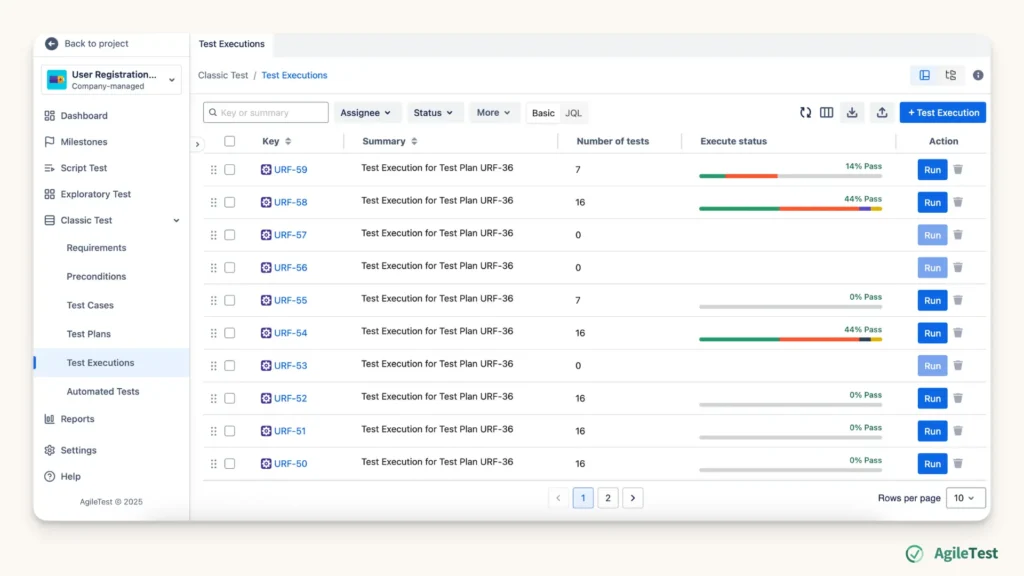
- A Wide Range of Test Strategies: alongside the Test Management feature for classic tests, AgileTest has the Test Script and Exploratory Test sections that help you manage these specialized, unstructured tests.
- Test Project Tracking: Test Plan feature, which is the collection of test cases and test executions, can be combined with Milestone and Sprint tracking to ensure the timeline and progress of the whole testing project.
- Traceable Reports: the three types of reports (Test Coverage, Test Traceability, and Defect Summary) help you link test cases, test plans, and test executions with their related requirements and defects.
- AgileTest Rovo Agents (upcoming by the end of November): AgileTest Agents help you quickly summarize test results, track work items, and suggest test cases for each requirement.
User Rating and Reviews
- Atlassian Marketplace: 4.6/5 (73 reviews)
- G2: 4.5/5
2. AIO Tests: QA Testing and Test Management for Jira
AIO Tests by Navarambh Software Pvt. Ltd. provides a comprehensive but easy-to-use testing experience right inside Jira. Its strong balance between functionality and usability makes it ideal for mid-sized Agile teams.
Pricing
- One pricing plan only
- Free for teams under 10 members
- USD 1.98 for each user per month when teams are from 11 to 100 members
Key Features
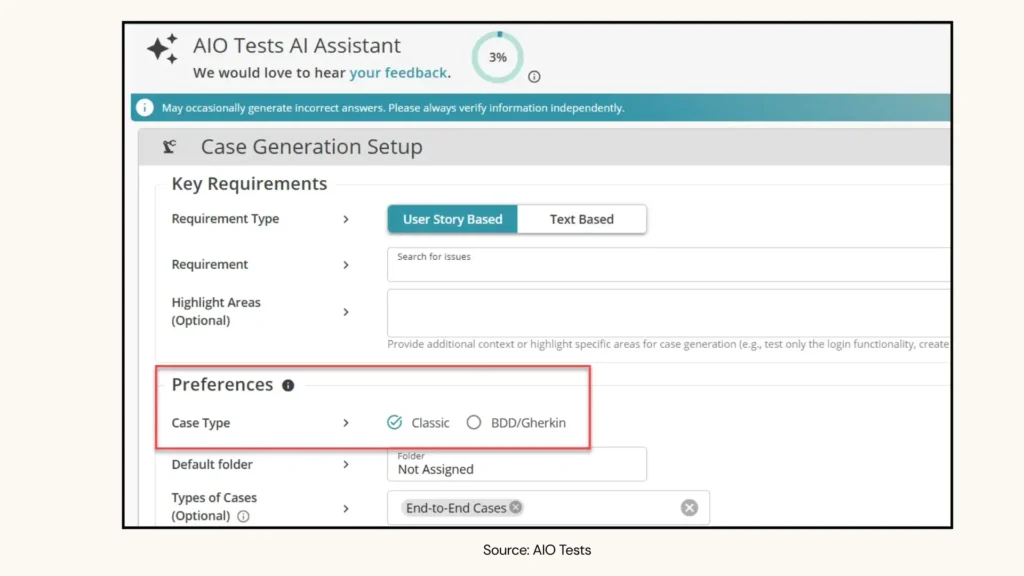
- AI-assisted Test Creation: AI applications to generate classic/ BDD test cases from requirements
- Customized Workflow: you can use AIO’s Public REST API to tailor workflows, integrate with external tools, and automate repetitive testing tasks.
- Diverse Report Types: AIO offers users 20+ types of reports, fulfilling almost all testing preferences and purposes.
User Reviews
- Atlassian Marketplace: 4.9/5 (104 reviews)
3. QMetry: Test Management for Jira (QTM4J)
QMetry by SmartBear Software offers an advanced test management platform for Agile teams. It’s known for its strong reporting features and compatibility with CI/CD tools.
Pricing
- One pricing plan only
- Free for teams under 10 members
- USD 4.18 for each user per month when teams are from 11 to 100 members
Key Features
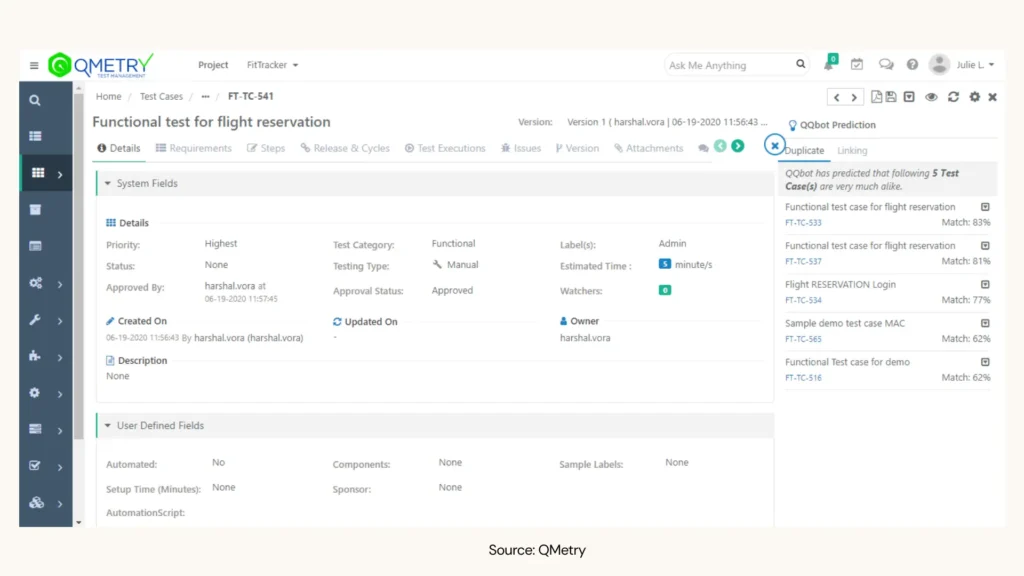
- QMetry Intelligence: QMetry’s Gen AI, with some features such as test case generation, smart search work item, flaky tests detection, etc, can release you and your team from much repetitive and manual work during the testing process.
- End-to-End Test Management: Test cases and Test Cycles can be organized in folders, improving the tracking and management during projects.
- Customized Reports: you can customize and make adjustments to the 2D reports for better project visibility and decision-making.
User Reviews
- Atlassian Marketplace: 4.7/5 (199 reviews)
- G2: 3.9/5
4. BrowserStack Test Management
BrowserStack Test Management is a Jira-native test management solution that helps QA and Agile teams create, manage, and track manual and automated test cases and test runs within Jira. Its two-way Jira integration helps teams maintain visibility between Jira issues and testing activities.
Pricing
- Free for up to 5 users
- Paid plans start at USD 19.00 per user per month
Key Features
- AI-powered Test Case Creation: BrowserStack uses AI to generate test cases from requirements and Jira issues, helping teams speed up test preparation.
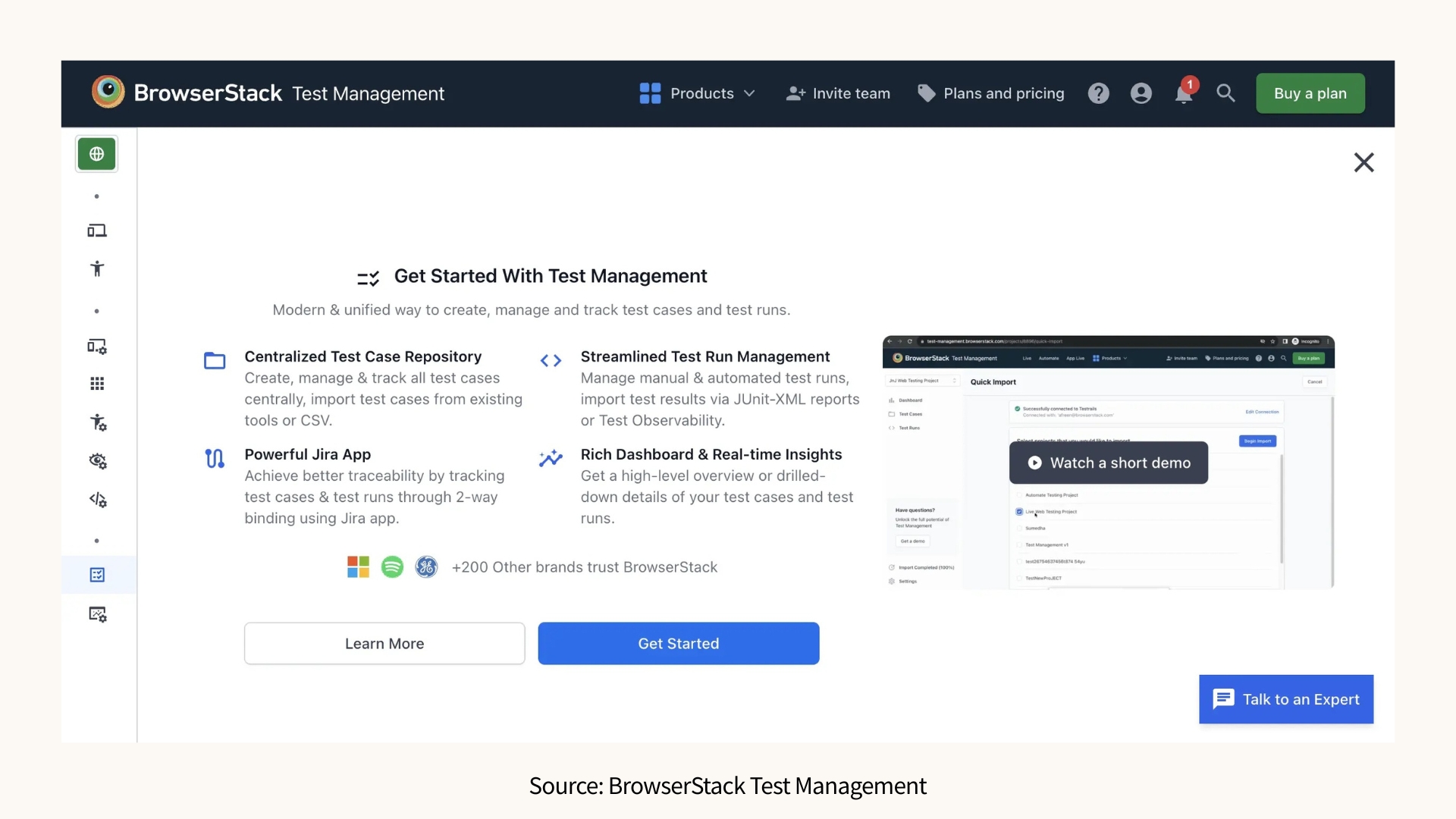
- Jira Integration: Teams can create and manage test cases, test runs, and results directly within Jira, with changes synchronized between Jira and Test Management.
- Unified Test Management: BrowserStack allows teams to manage manual and automated test cases, test runs, and test results in one centralized platform.
User Reviews
- Atlassian Marketplace: 4.8/5 (24 reviews)
- G2: 4.4/5
5. Tricentis Test Management for Jira
Tricentis Test Management for Jira by Tricentis brings enterprise-level capabilities to Jira with its modern, scalable app. It is a good option for large teams to maintain quality at speed.
Pricing
- One pricing plan only
- Free for teams under 10 members
- USD 2.50 for each user per month when teams are from 11 to 100 members
Key Features
- Generative AI Test Generation Assistant: Tricentis applies Azure OpenAI to generate test cases with step descriptions and expected results.
- Exploratory Session Recorder: Intelligent capture technology tracks all interactions from the testing session and automatically creates defect documentation.
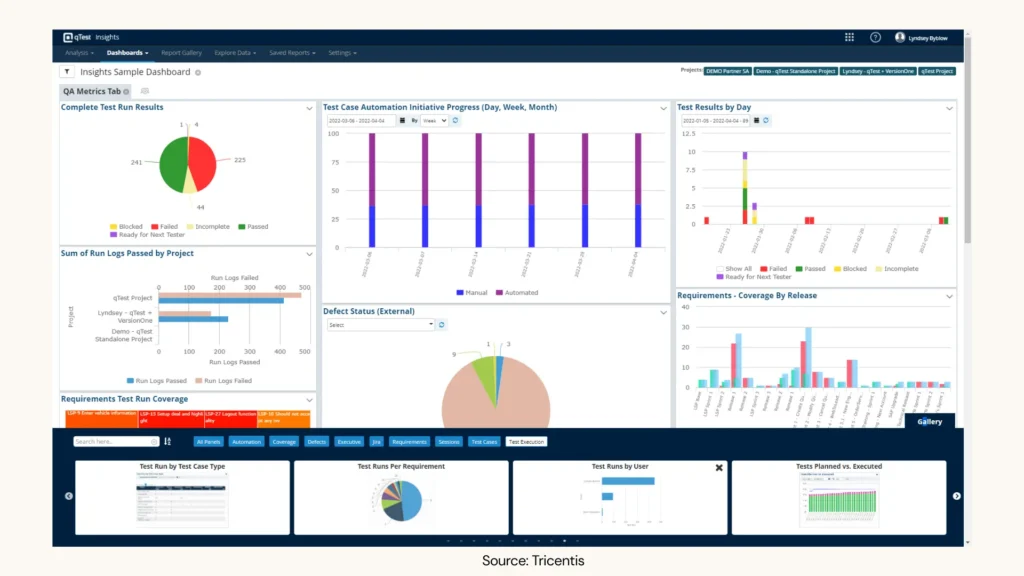
- Real-time Dashboard: Tricentis also provides interactive heatmaps, out-of-the-box templates, and customizable reports to track test results.
User Reviews
- Atlassian Marketplace: 3.6/5 (50 reviews)
- G2: 4.3/5
Final thoughts
Determining whether to use Free Test Management Tools for Jira depends on your team’s size, workflow, and testing maturity. While all five tools listed above offer free plans for small teams, each brings unique strengths. You can start with these free test management tools for Jira, test them in your real projects, and see which one fits your workflow best. The right tool will make your testing faster, clearer, and more collaborative.